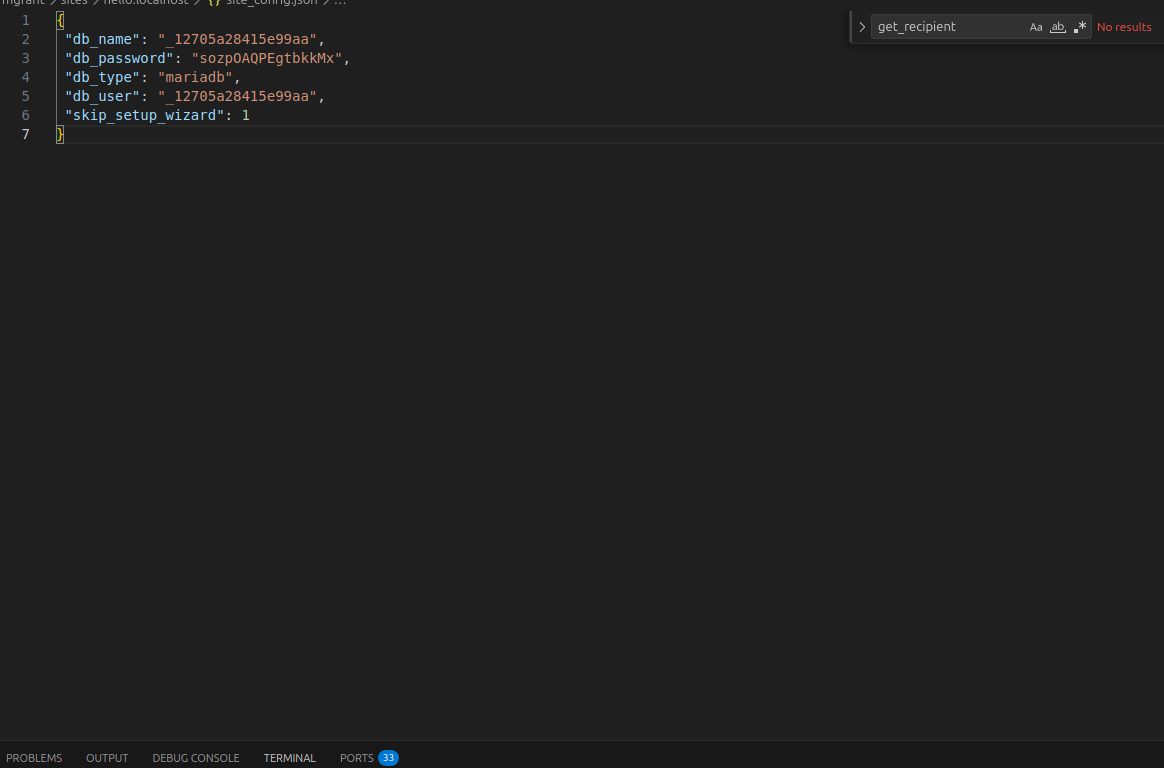
Is it possible to disable the setup wizard when a new site is created and set default settings programmatically? I don’t what to create a new user either, administrator is enough
I have never tested it. But I “think” if you add
skip_setup_wizard = 0
To 'site_config.json', that it will skip the Setup Wizard on startup.
@RWEMA_Aimable did u find any solution?
From bench console, you can call complete_setup_wizard() to programmatically bypass the setup wizard.
Since I set up/drop a lot of sites, I use this script to automatically setup wizard and import required records.
1 Like
I try it. But it didn’t work 
You need to set "skip_setup_wizard ": 1 in sites/common_site_config.json. I tried it. It works for me (ERPNext/Frappe v14)
1 Like
I found a pretty decent workaround
bench execute frappe.db.set_value --args "'Installed Application',{'app_name': 'frappe'}, 'is_setup_complete', 1"
bench execute frappe.db.set_value --args "'Installed Application',{'app_name': 'erpnext'}, 'is_setup_complete', 1"
The table Installed Application is responsible for keeping the record of the wizard status.
Keep in mind that this gives you a bare system with only the Administrator in place; all the other staff is not created, you need to create the company, the COA, and so on.
Best Regards
Can you Explain in details.