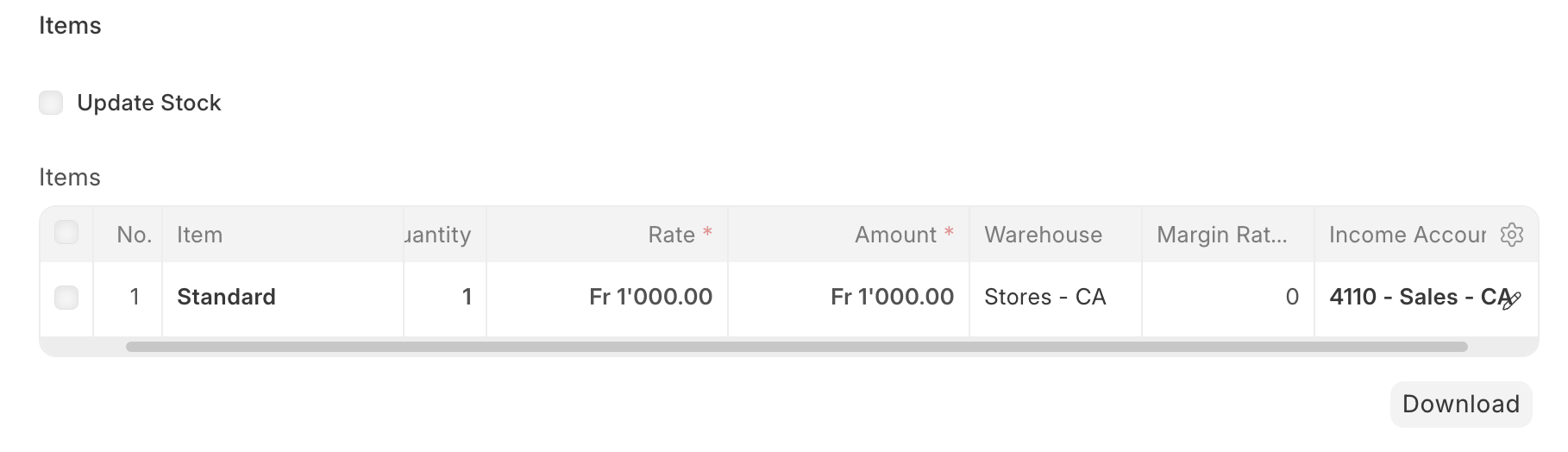
I would like to ask if there is currently a way to freeze the header row of a Child Table so that it remains visible while scrolling vertically.
When a Child Table contains many rows, keeping the header visible would greatly improve readability and usability.
If this is not supported at the moment:
Hi @channarong
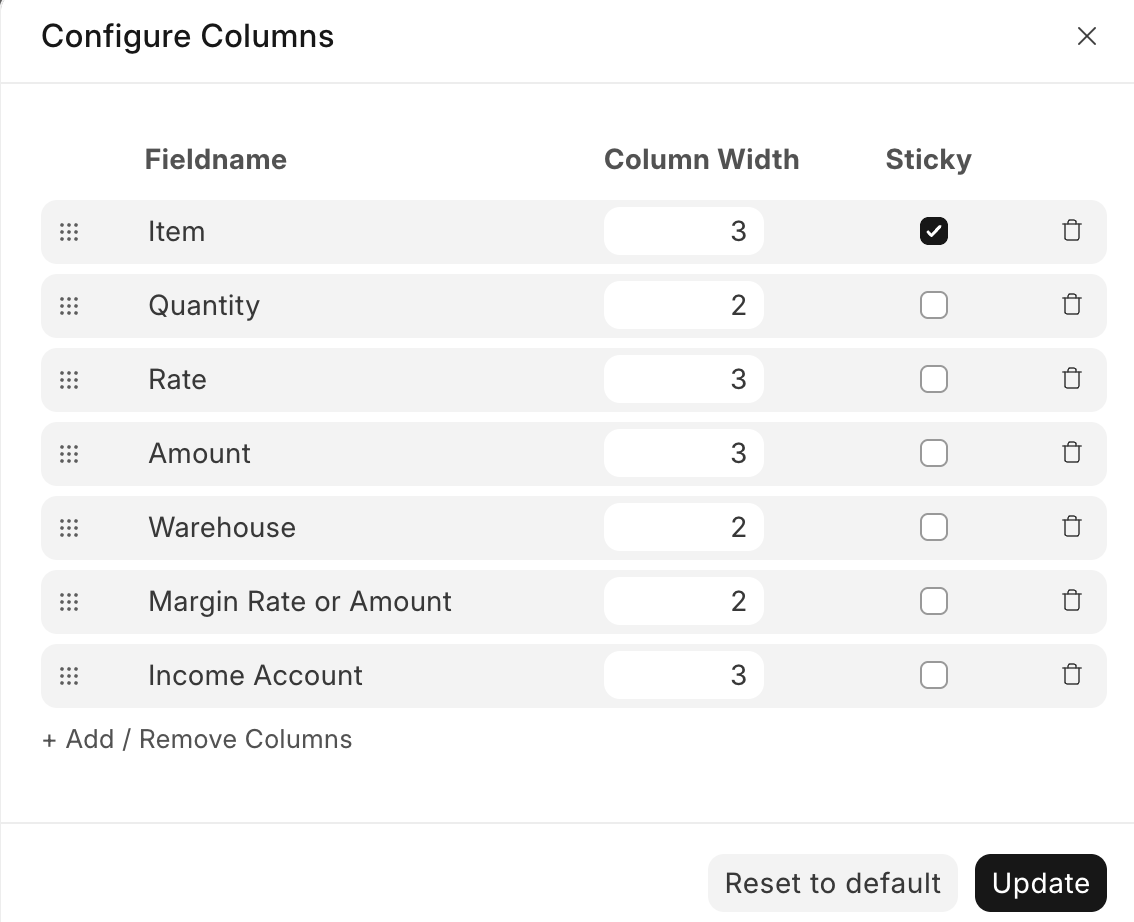
Since version v16, it has been possible to fix columns in child tables.
To fix a column, click on the gear icon on the left side of the table header and mark the corresponding column as sticky.
Thanks for the response.
However, I’m asking about freezing the header row (sticky header) while scrolling vertically, not fixing a column.
The sticky column option is helpful, but it doesn’t keep the table header visible when scrolling through many rows.
I understand. As far as I know, there is no way to do this at present. One option would be to switch from the normal list view to report view and display the columns of the child table. In addition, the filter must of course be set so that only the data of the desired data record is displayed.
However, I assume that this option is not satisfying. I recommend that you create a feature request for the Frappe repository.
@ejaaz We also have requests for sticky header for the child table while vertical scrolling. This is real helpful when adding extensive child table items. It will be great add-on to existing horizontal scrolling.