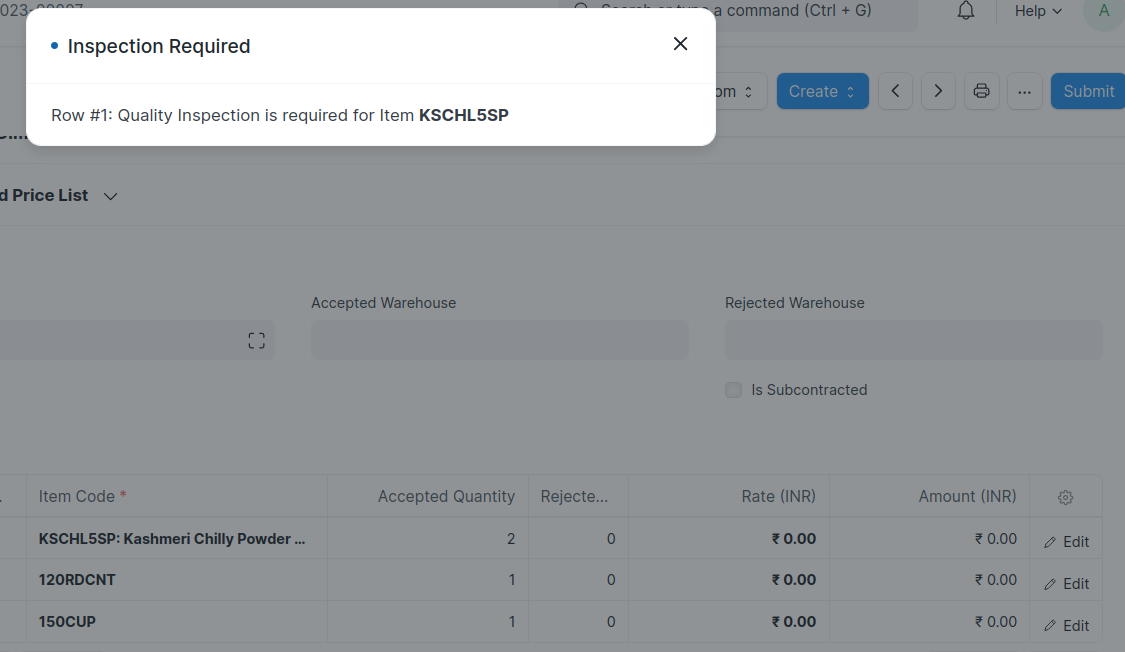
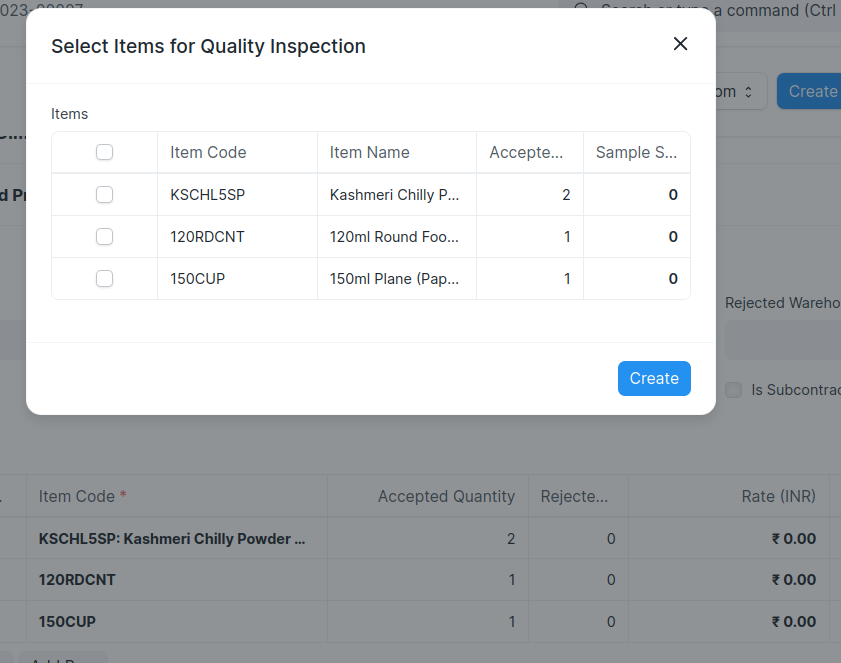
I have created a purchase receipt with 3 items and for only one item I have enabled the check box of" quality inspection required before purchase" in the Item master doctype.
and when I initiate the quality inspection process, the software creates inspections for all 3 items in the table, why is that so?
5 Likes
Yes I am also facing the same issue
5 Likes
Is there any solution for this issue as i’m still facing the issue
You can write custom code to override the behavior of dialogue box where you need to write similar code like ERPNext to pop up the dialogue box and populate it with those item codes for which inspection is enabled. Basically you have to write the entire code for dialogue box which is in Source Code with changes for item code filtration.
Thank you will try this approach and update accordingly
You can update to latest version of ERPNext where they do populate all items in dialogue box but while creating Quality Inspection it throws error to remove the item for which Quality Inspection is not enabled. If you want to check the code which controls this behavior it is available in erpnext/erpnext/public/js/controllers/transaction.js and python file is in erpnext/erpnext/controllers/stock_controller.py
We need to select the item using checkbox and click on create button so it will create the quality inspection for selected item only
This happens because ERPNext’s purchase receipt quality inspection logic checks the entire document’s items table, not just the “Quality Inspection Required” flag for a single row, so the system ends up generating inspections for all items in the receipt.
If you want inspections only for specific items, you’ll need to either:
- Manually remove the extra inspection rows before submission, or
- Customize the workflow/script to filter
items by quality_inspection_required before creating inspections.
This is a known behavior—ERPNext doesn’t currently auto-skip non-flagged items unless custom logic is added.