Item Tax does not really work in ERPNext if you have more than 2 tax templates , have anyone ever used it in ERPNext , it looks like only way is to create a custom app to handle tax in ERPNext , have researched through and it looks like thats the only way . Have anyone ever faced same problem ?
maybe this guy’s situation is similar to yours
l think you have not understood , am dealing with sales invoice not purchases but let me assume they work the same way .
l scenario is that , l have two items Water 500ml charges tax 0% while Coca Cola Drink charges tax 15% , so it sounds ERPNext item tax does not really work well , seems like a bug . it does not calculate tax at all but if you use sales tax or purchases tax templates it calculates it. Now the unfornate part is that , sales tax and item tax may only work if all items have same tax rate like 15% or 0% for all items
I tried and for me it works (in purchase orders)
-
i created 3 item tax templates
a) 15% template
b) 5% template
c) Mixed template - charges both 5% + 15% = 20% (two input VAT accounts) -
For each item i linked the Tax item template in its tax settings
-
I created a purchase invoice: -
One item at 15%
One item at 5%
One item at mixed - 20%
It gave me the correct calculations for tax and hit the correct accounts that I had configured
Is your scenario still different or maybe its a bug that was recently fixed - what version are you using?
ooh thanks for the efforts let me try it in a different version
Hi,
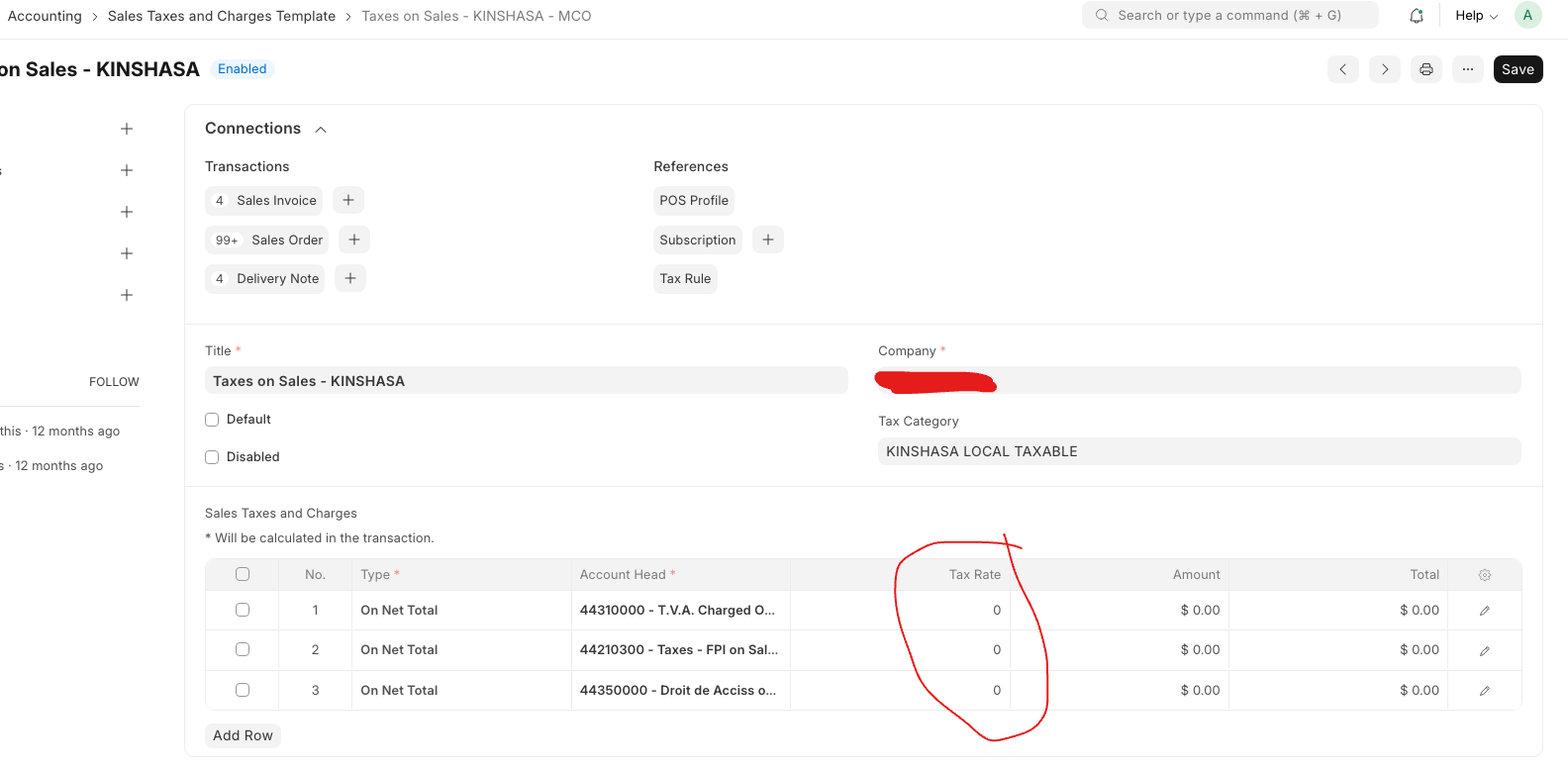
The key is while configuring Sales Tax Template, put all the Tax Account with tax rate 0. ERPNext will automatically calculate the tax according to Item Tax Template for each item in sales invoice.
Thanks,
Divyesh M.
@mangroliya would you mind providing additional details on how to accomplish this? I’ve struggled to get sales tax automated.
I think he means create a sales tax template and put the account you want with a rate of zero, then choose that as the default
@francis1 did it work for you?
Hi,
Please find the details below:
Item Tax Template:
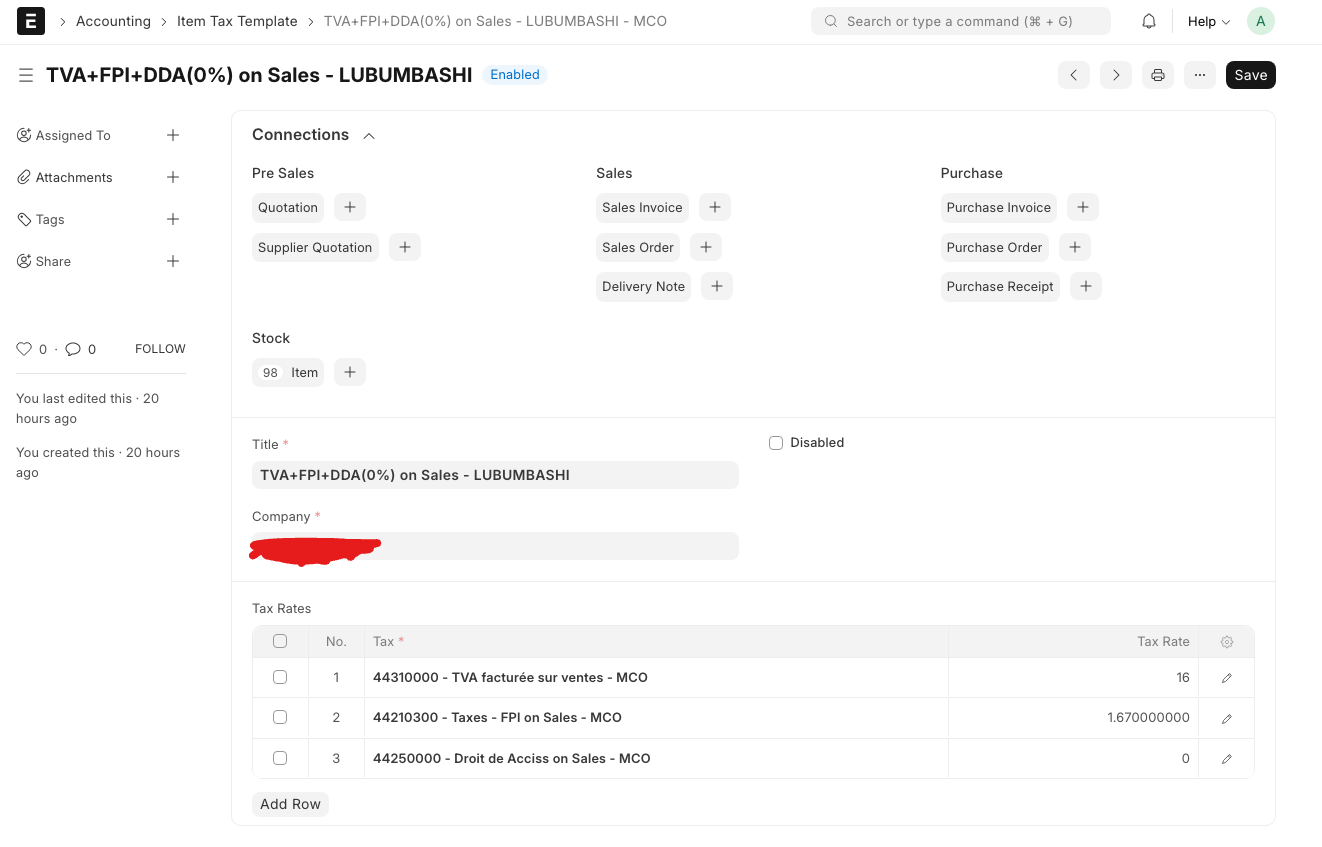
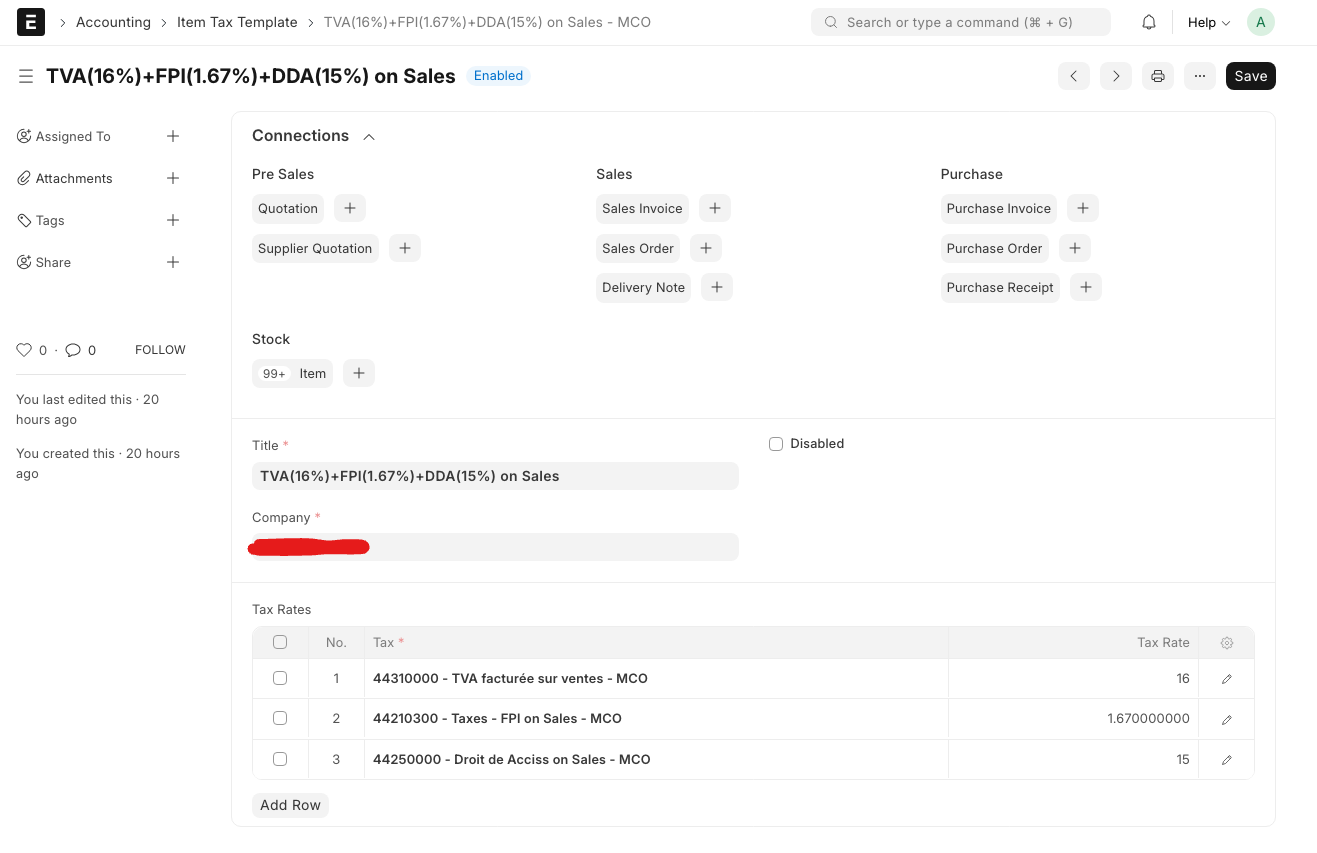
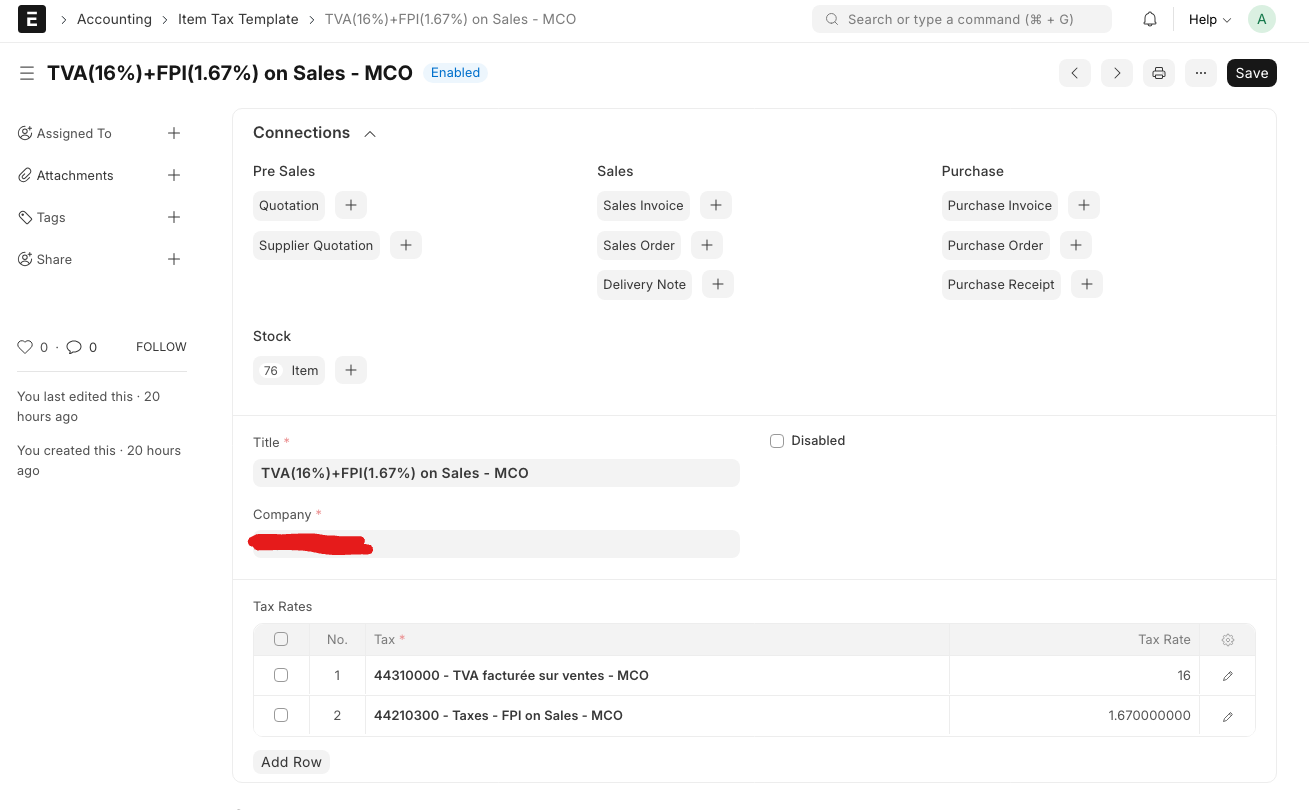
Sales Taxes and Charges Template:
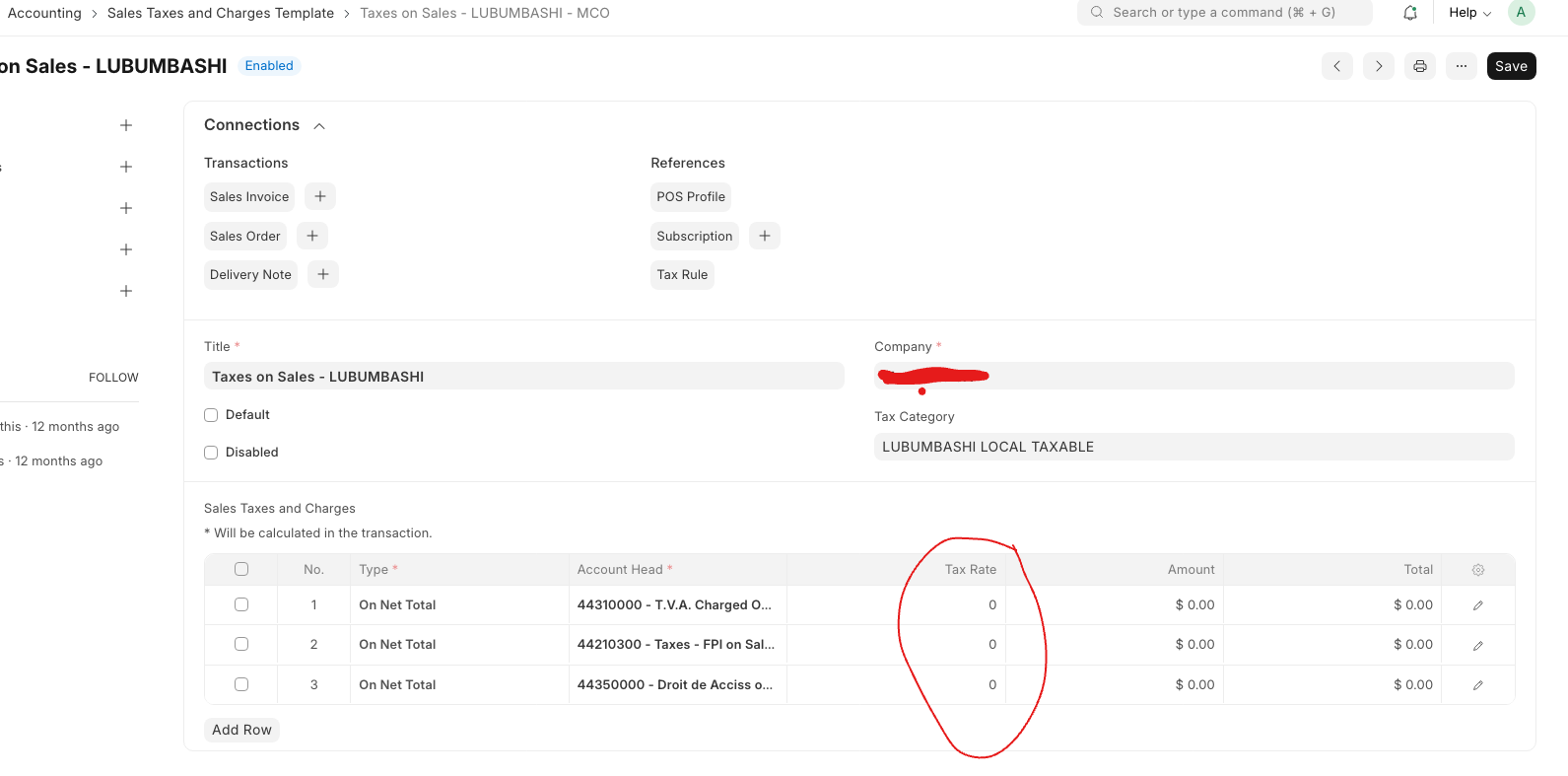
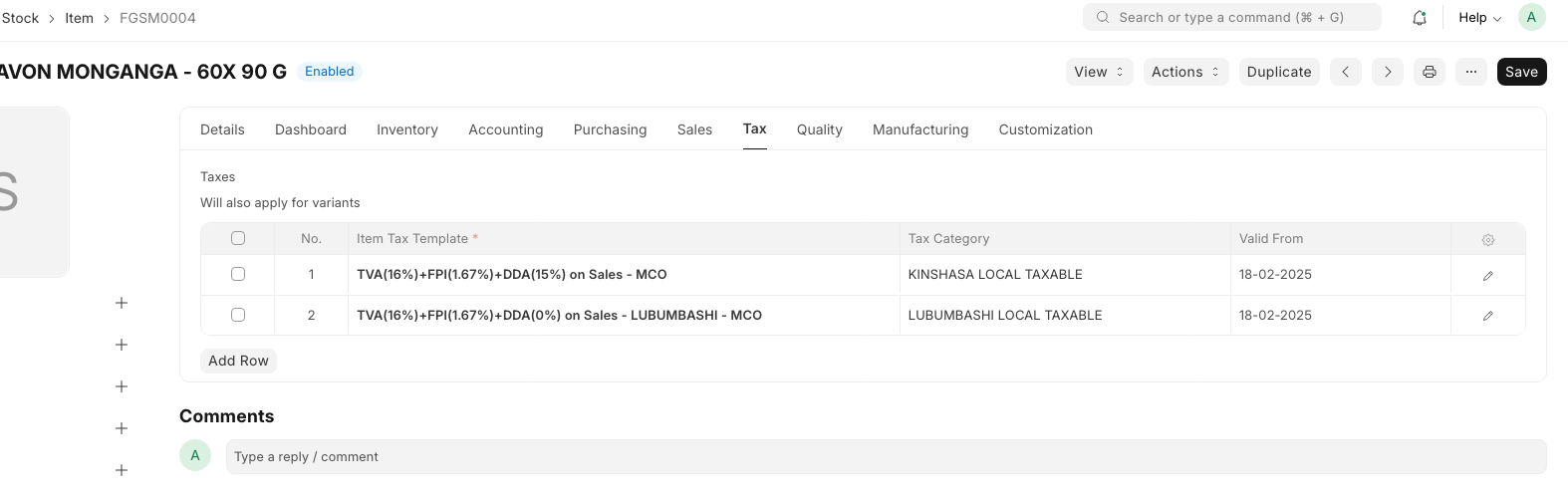
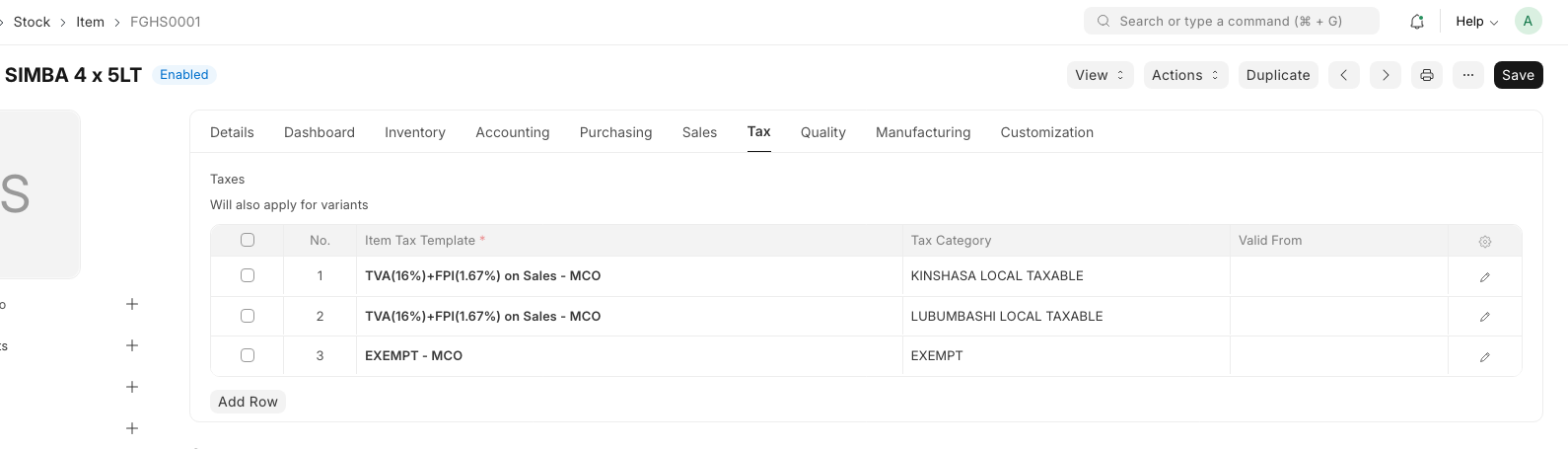
Item Tax Template Assignment on Item Master:
On Sales Order:
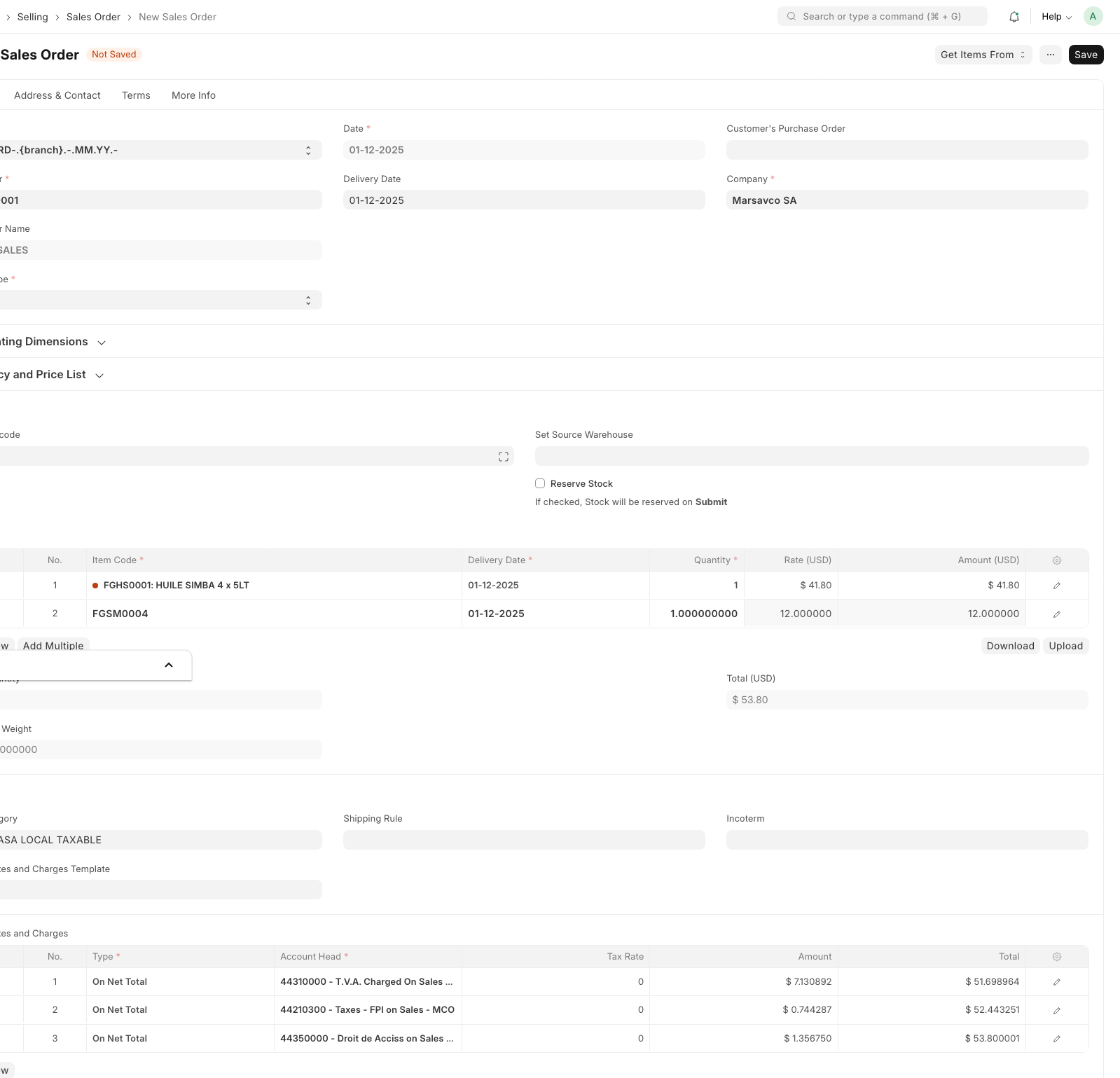
Tax Break up on Sales Order:

Hope, details are clear.
Thanks,
Divyesh Mangroliya
thanks much appreciated for the great efforts . l have tried it but still not solving .
my scenario is like this .
l sale three products and they each charge different VAT pertentage .
Milk 1 liter VAT 0%
Metal Plate Vat 15%
2kg Rice VAT 0%
So l have created my two item templates the other with rate 0% and the other with 15%.
Then l went to item doctype for each item and then l assigned under the tax tab in the item tax , item template for each item . so there is only one item tax for each item if the item is chargiNG 15% I only put 15% if its 0% l only put item tax template for that .
Now if l go in sales invoice and put those three items no tax is calculated . But if l go and set sales tax as the default thats when it calculate but unfortantely it uses one tax rates or all tax rates set there instead of selecting tax at item line it calculate per whole document
Hi,
Your process till applying Item Tax Template to each items is correct. You are only missing is creating default Sales Tax and Template Charges as follows and use that template in Sales Invoice:
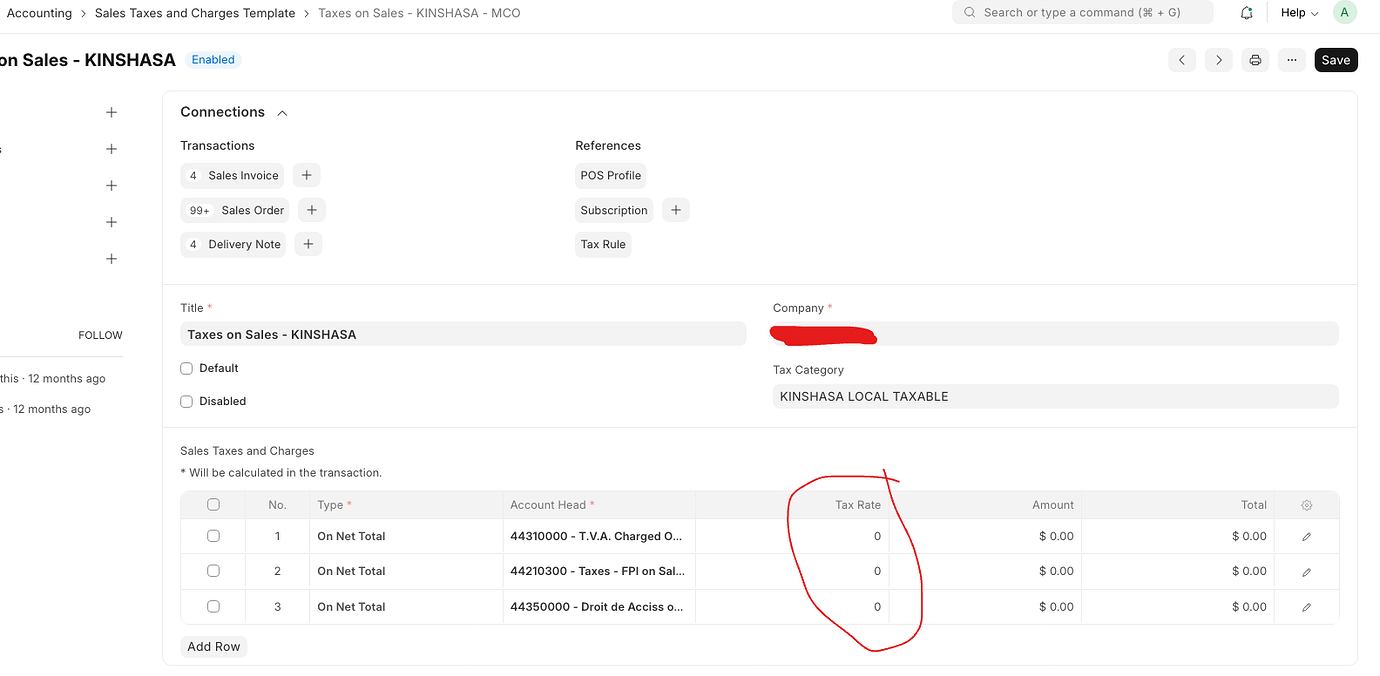
Thanks,
Divyesh Mangroliya
Hi if i need add input and output tax separate ledger so i add both account in item tax template with proper tax rate then purchase and sales tax template i add with 0 tax rate this approach is correct or not ?
Hi,
Yes it is correct approach.
Thanks,
Divyesh M.
Thanks your reply
But this case item tax template carrying 2 ledger 1 for input and 2nd for output with tax rate so now i nee dot show print side item side tax so that time its showing 2 tax bcz template have 2 so i feel my approach is not professional or correct ther any other method input and output mange properly and item side show single ledger with single tax rate ?
Hi,
There will two seperate Tax Template, One for Sales under Sales Taxes and Charges Template and one for Purchase under Purchase Taxes and Charges.
Thanks,
Divyesh M.
Here is a complete guide to configure the ERPNext for Sales and Purchase Tax Templates…
It works for everything…
Even if you have several HSN/SAC codes in a single Invoice (Sales/Purchase) with different tax rates…
1 Like