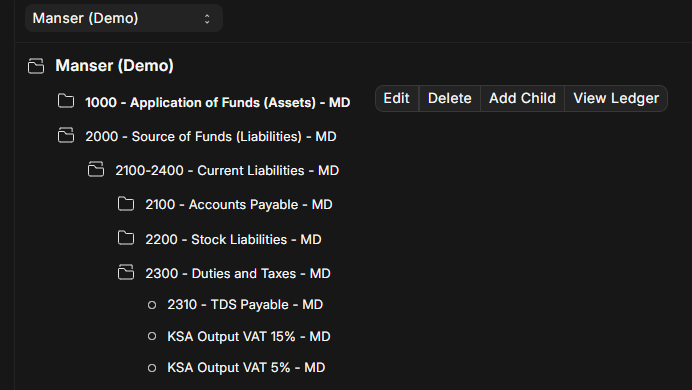
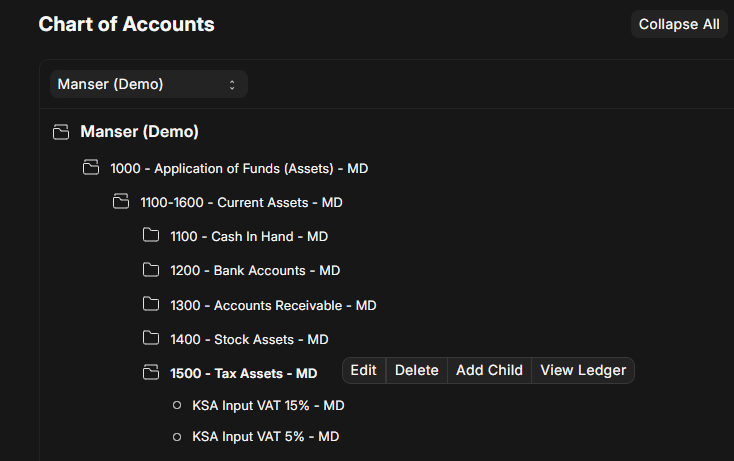
I create 2 Ledger account in duty’s and tax account under. check screen short
after i create asset side 2 ledger for input vat 5 and 15%
Now both ledger ready now i need setup item tax template for 2 tax so i create 2 template like this
but link with one ledger for each template input side ledger
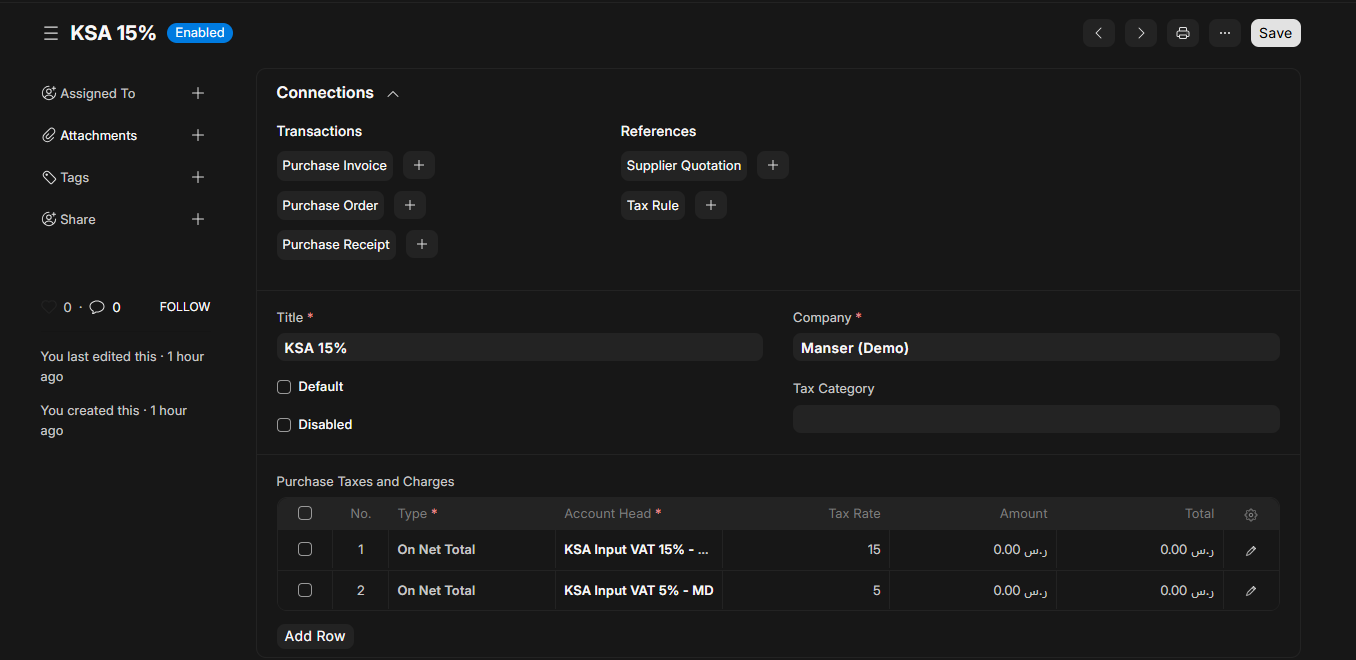
Now i create purchase tax template like this
So the real problem is i cant setup 2 tax for 2 template bcz i have around 5000product with mixed tax rate so we dont now manually each product witch item tax template use
so now 2 issue i face
1 is if i enable itme wise template auto add in purchase and sales both side auto add based on our item tax template wise ledger so sale sand purchase post on output vat ledger only bcz that link with item tax template
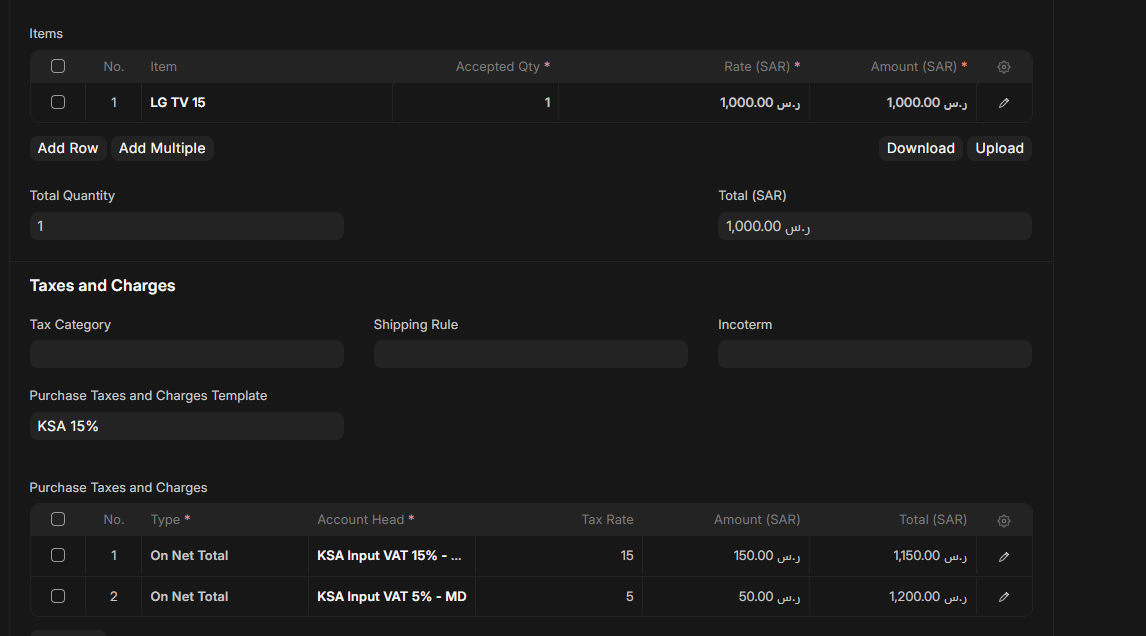
2nd issue is if i not add auto item tax template enable purchase sid i add only 1 product 15% and i add purchase tax template automatically coming 2 ledger but product only 1 in row check screen short
So where i done wrong and what is the missing part ?
if i create 2 purchase tax template then i can solve issue but many product invoice that is not practically apply if i not choose purchase and sales tax template then sales side and purchase side post with same input ledger only bcz based on item tax template wise.
I am not sure I have understood your problem properly but can you try this: -
create 3 Purchase templates - call them Full KSI 20%, KSI single 15% and KSI minimum 5%
everytime you make a purchase invoice you use the correct template - dont use item template as you will not attach it to the 5,000 items you have
Will that help?
My issue simple i have 2 item 1is 5% and 2nd is 15%
i need make invoice both item in single invoice and i need post proper input and output tax based on item tax so how work this ?
okay so i tried this and it works for me (in purchase invoice): -
- Dont use purchase tax template - delete it or disable it
- Create 2 seperate Item tax templates (15% and 5%)
- When you enter each item in the purchase invoice go to the extra fields (the small pencil on the right side) and look for tax item template - there you put the correct template (either 15% or 5%)
- If it still does not work then please check which erpnext version you are using - i think this is a bug that was fixed recently Item Tax does not really work in ERPNext if you have more than 2 tax templates - #2 by asieftejani
I tried it and it hit the correct GL accounts and gave the proper calculations
for your setup you got proper input and output tax ledger posting with single item tax template wise ?