[Share] Itemflow Community: A custom Frappe app built for my small business
Hi everyone,
I wanted to share a project I’ve been working on for the past 10 months: Itemflow Community.
To be honest, I’m not a professional developer at all, my background is in psychology. However, as someone with experience in ERPNext running a small business that sells electrical equipment, I needed a tool to help our team adapt.
Why was it built?
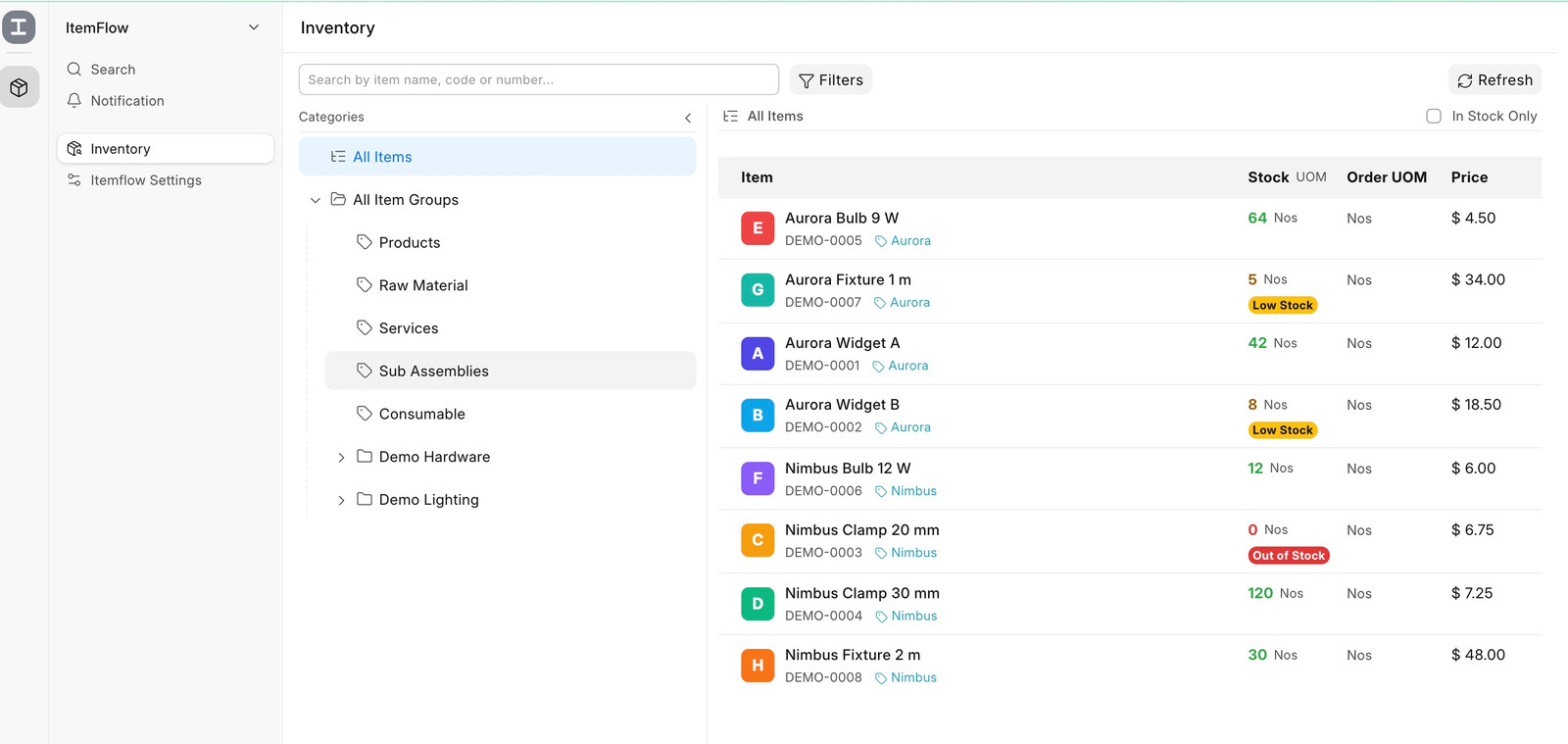
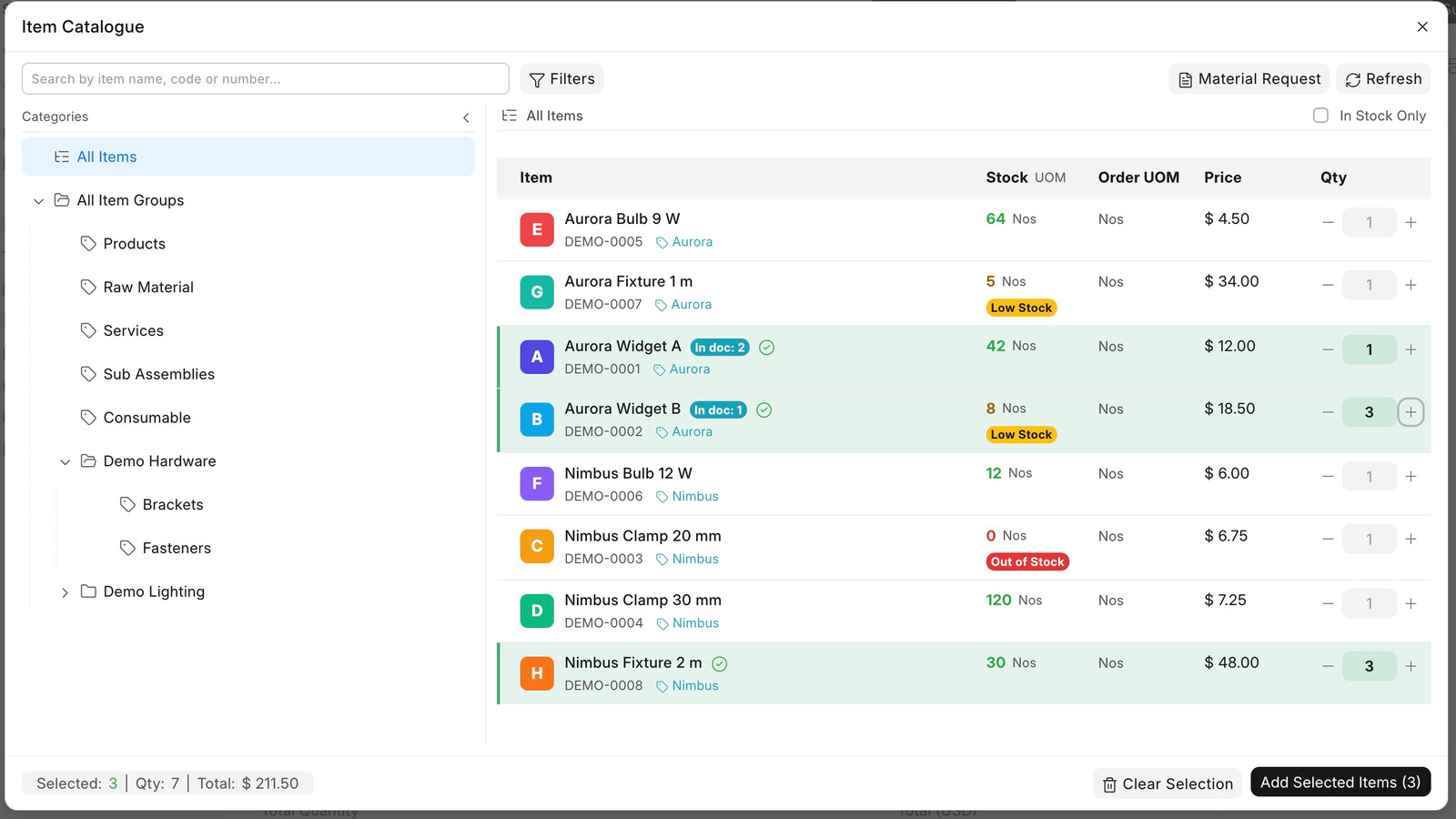
The main goal of this app was to create a comfortable stepping stone for team members who had zero previous experience with ERP systems. By offering a familiar file-explorer-style interface to search items, manage multi-UOMs, monitor stock thresholds, toggle product photos, and link documents (Sales Orders, Purchase Orders, Quotations, Purchase Receipts), it makes daily navigation less overwhelming while the team gets properly trained on standard ERPNext.
I want to emphasize that Itemflow does not attempt to replace any core ERPNext functionality—it’s simply an auxiliary support tool.
Why share it?
This is purely a community contribution, not a commercial product. Since it was built with heavy assistance from AI tools, there might definitely be code bugs and not right coding patterns under the hood! However, I sanitized our data and adapted the structure to standard Frappe fields (item_code, name, etc.) so anyone can explore or adapt it.
My plan is to gradually iterate and refine the codebase over time to better align with Frappe standards. If it helps your team transition smoothly or inspires other non-developers, I’d be super happy.
Feel free to check out the repo in Github, test it, or share any feedback/ideas:
https://github.com/TheManuNext/itemflow-community
Thanks.