I’m trying to implement a specific type of line discount in ERPNext, but I’m running into issues with how it currently works. By default, ERPNext applies line discounts at the item rate level, which means the rate of the item is reduced first and then extended to quantity.
What I need instead is for the discount to apply to the item’s total amount, before taxes are calculated.
In other words:
Item Total = [(Rate x Quantity) - Discount]
This should happen before taxes are applied. If the tax is inclusive, then additional calculations would be needed to adjust the item totals accordingly.
Here’s a simplified example of what I need:
Invoice Totals:
Item Price: 250.00
Quantity: 9
Original subtotal: 9 × 250 = 2250
Discount applied to item total: –150
Net Item Total: 2100
Tax (18%): 378
Grand Total: 2478
What I’m Looking For
Is there a way in ERPNext to apply line discounts directly to item totals instead of item rates?
Ideally, I want to support both flat amount (e.g. –150) and percentage discounts (e.g. –10%).
Should this be handled via a client script, server script, or is there a built-in feature I might be missing?
Has anyone else implemented this? Any guidance would be appreciated.
Both item line level and the whole document level discounts available in ERPNext and it can be applied either with a percentage of discount or discount amount either ways.
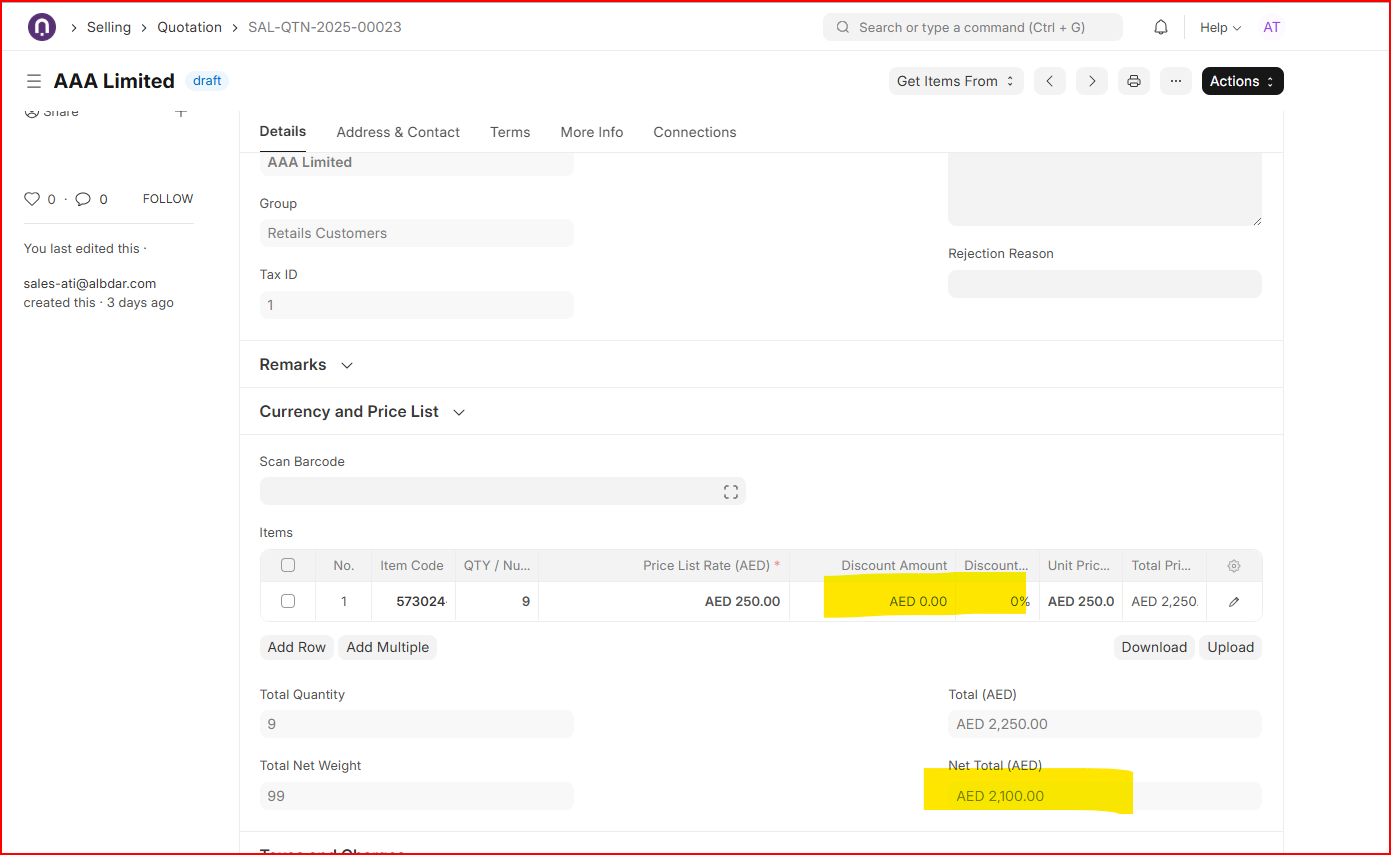
Item level discount is located in item table where either discount amount or percentage can be inserted based on price list rate as following;
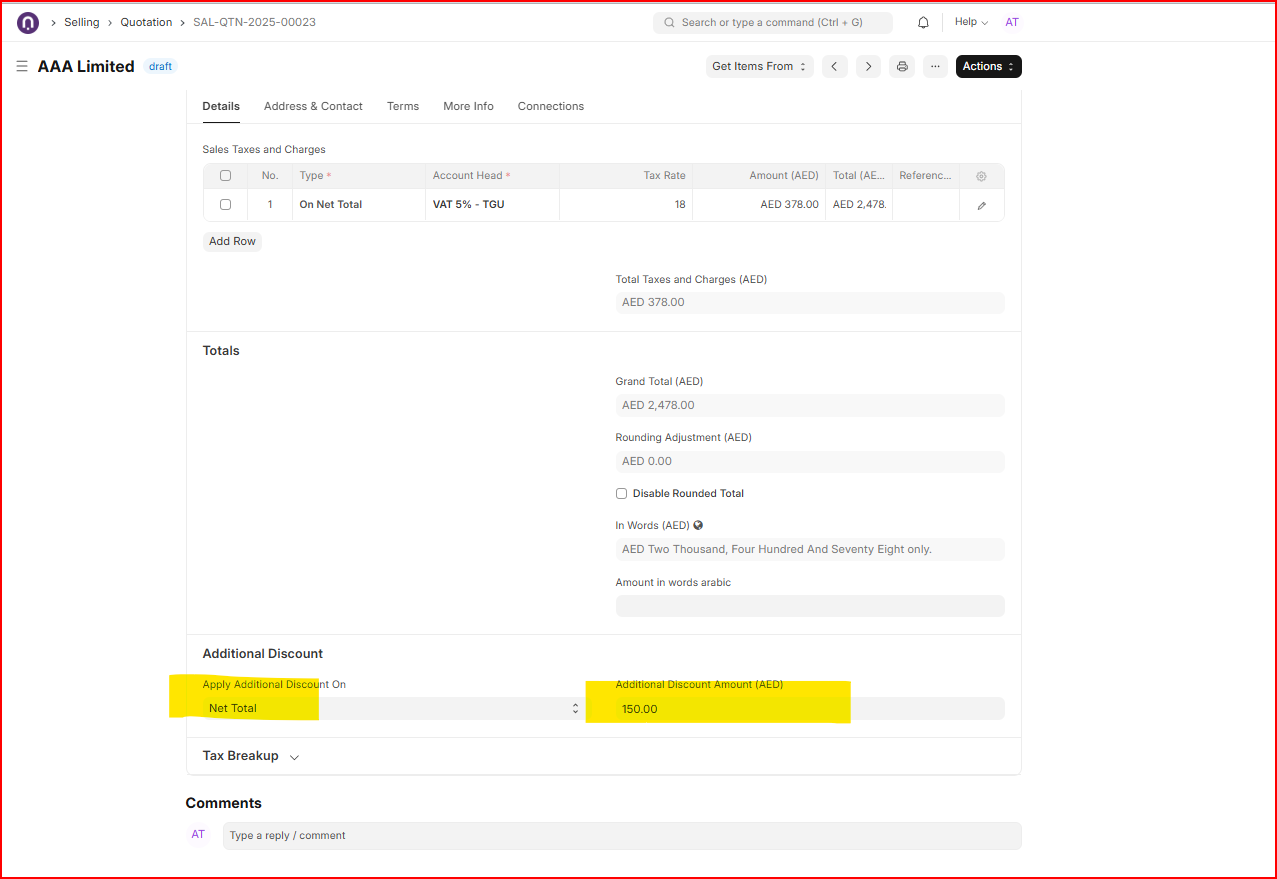
On the other hand, if discount is common for the whole Quotation then Additional Discount section is available under tax table where one can apply discount either on Net total (item table total before tax) or grand total (item table total + tax ). In your case, additional discount on net total where amount based discount is applied resulting a new net total as 2100 ;
Thank you very much for your answer. However, this doesn’t solve my problem because using ERPNext’s current item line level discount, the price (or Price List Rate) of the item is changed.
In this example, the rate would change by 100 (from 250 to 150), resulting in a final item total of 900.00.
This is not the desired result
My task will only reduce the total at the item line level. Calculating that, 250 multiplied by 9 equals 2,250. After subtracting 150, the new total would be 2,100.00.
We ran into this issue. In the end we had to do some custom work to keep the rate in another field and then calculate rateqtydiscount amount. Core will behave the way you have described.
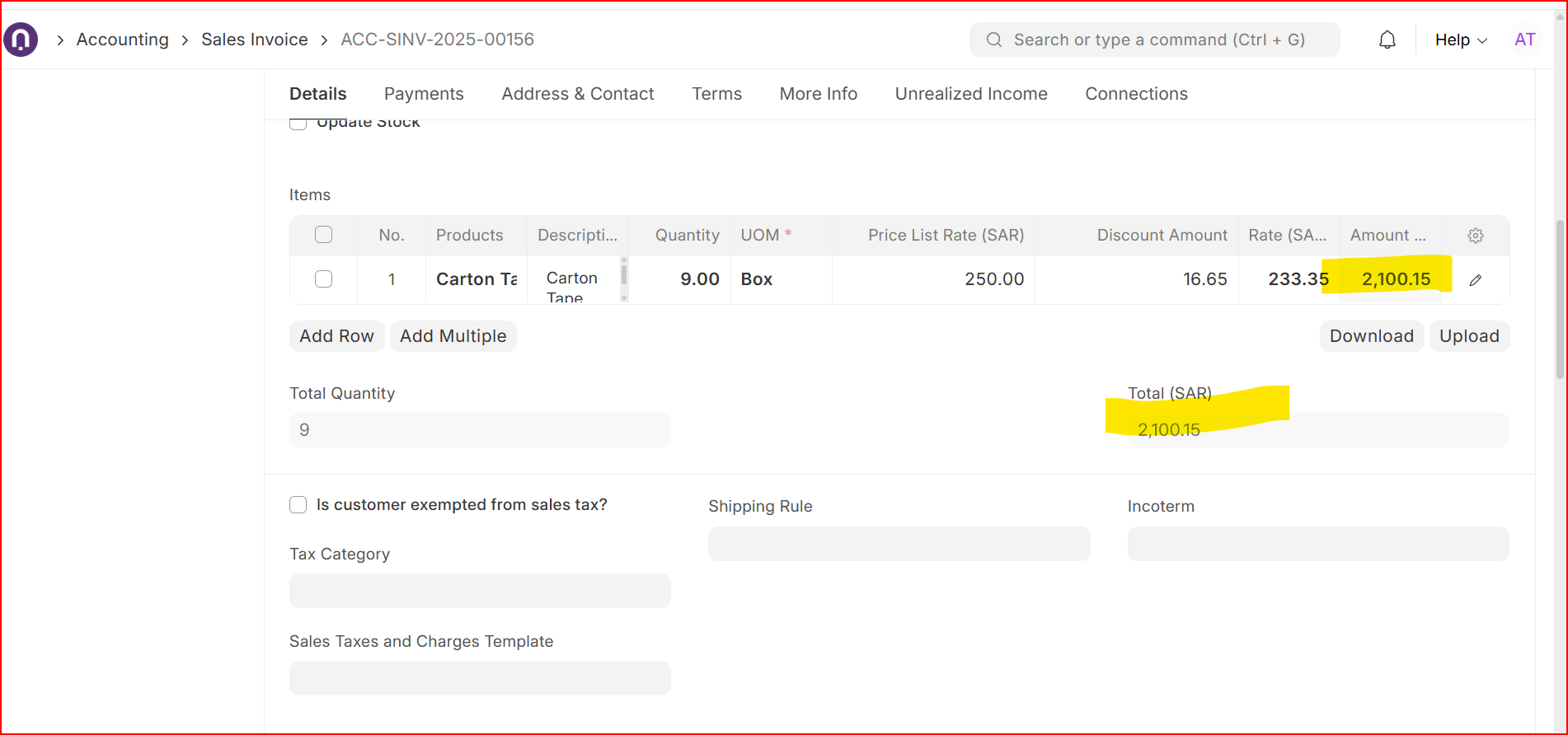
The issue is that when we add a discount or discount percentage, the item-wise total amount is updated, but the item rate also changes, which we do not want. In our case, the discount is derived from the Price List Rate, but when someone manually changes the item rate, the discount calculation still uses the original Price List Rate, and this causes the rate field to change unexpectedly on save.
For example: quantity 9 × rate 250 = 2,250. After applying a discount of 150, the new total should be 2,100, while the item rate should remain 250 and only the amount should be affected.
If there is any standard setting, script example, or recommended customization approach to apply item-wise discounts based on the line total (without modifying the item rate), suggestions would be appreciated.