Hi,
Find the updated docs - here
Steps to get the credentials:
-
Register/Login to Amazon AWS.
-
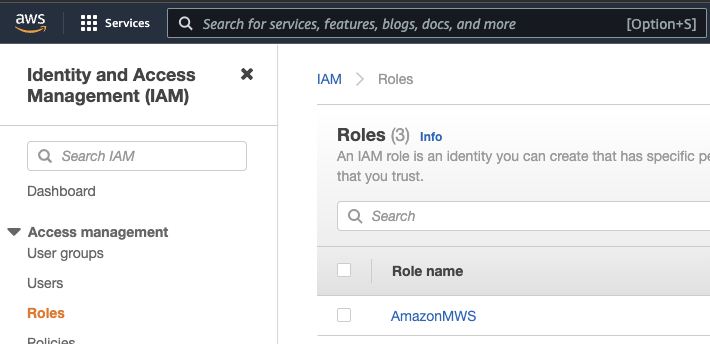
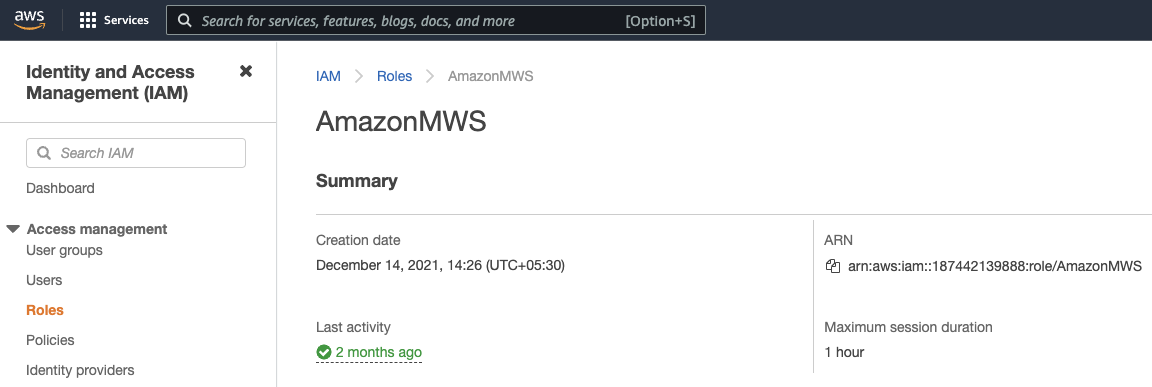
Go to Roles > [YOUR ROLE NAME] (AmazonMWS in my case). You will get IAM ARN.
-
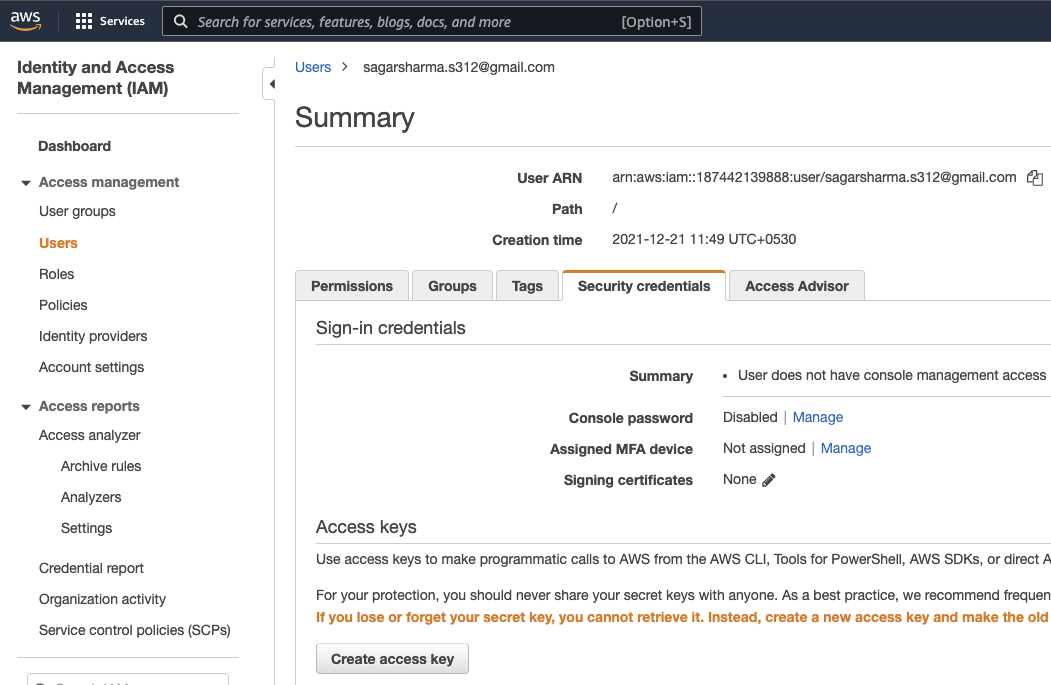
Go to Users > [YOUR USER NAME] > Security Credentials and click on Create access key to get AWS Access Key and AWS Secret Key.
-
Now, Register/Login to Amazon Selling Partners.
-
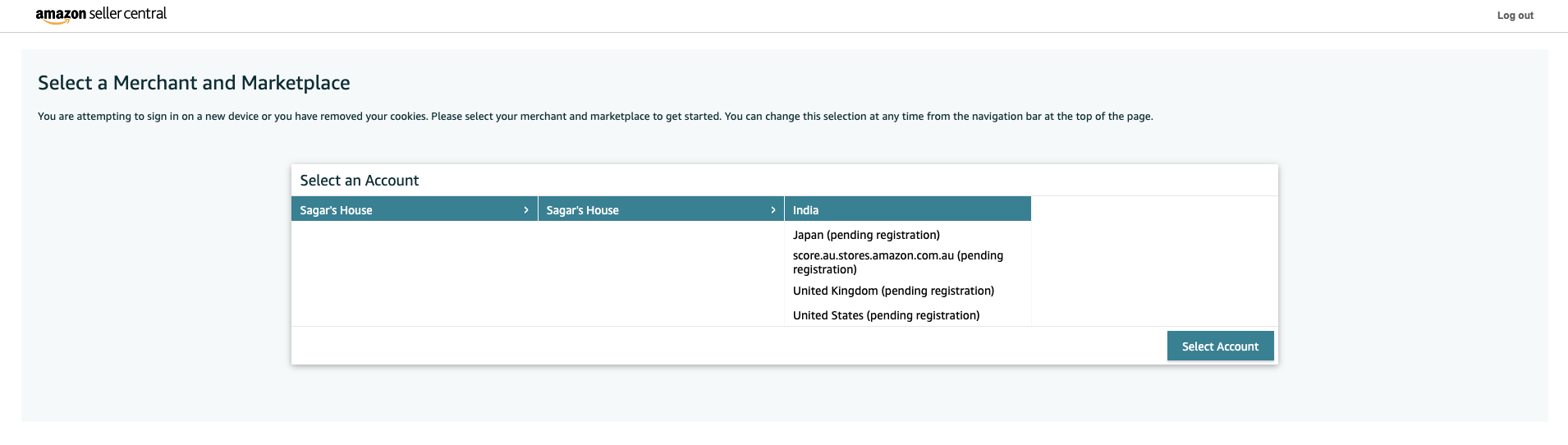
Select a Merchant and Marketplace, and you will be redirected to Amazon Seller Central.
-
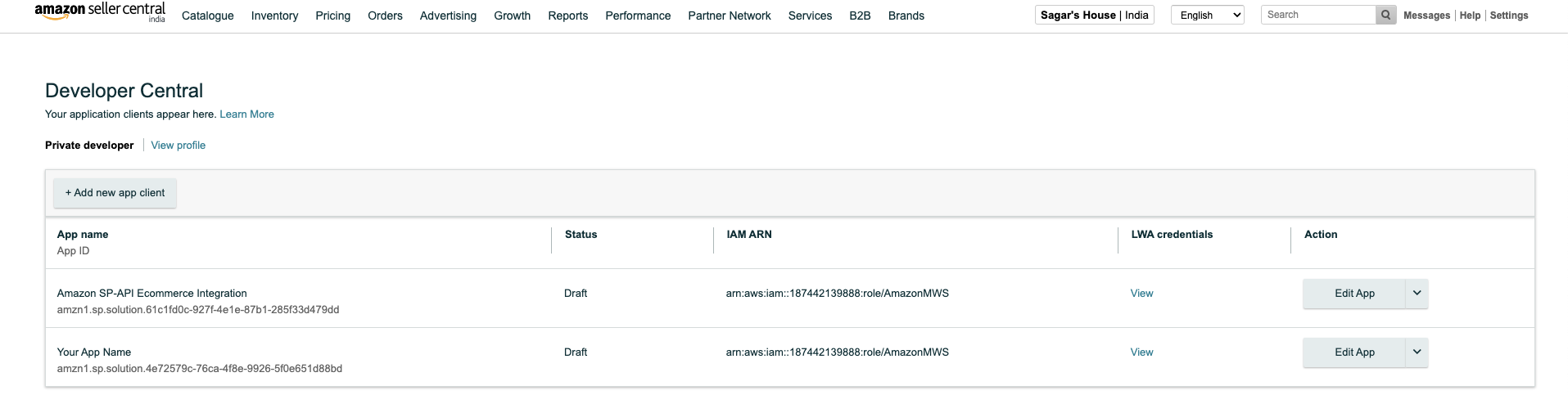
Go to Partner Network > Develop Apps.
-
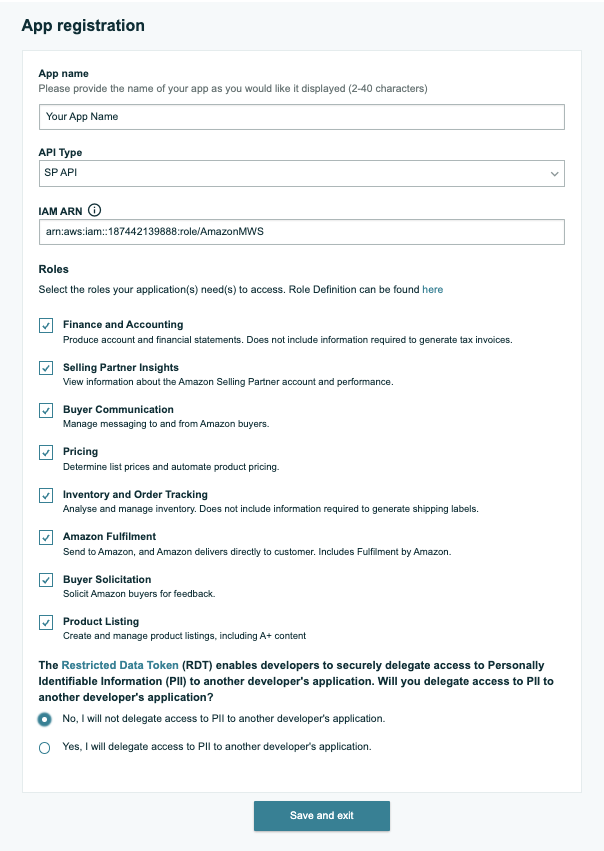
Click on Add new app client, fill in the details(IAM ARN from step 3) and click on Save and exit.
-
Click on View in LWA credentials column, you will get Client ID and Client Secret.
-
Go to Actions > Authorize and then click on Authorize app to get the Refresh Token.