Hello Community,
In the Frappe HR mobile app, notifications are not being displayed. Instead, only the notification count is shown. Previously, this feature was working fine in the mobile app. I have already updated the cloud to the latest version.
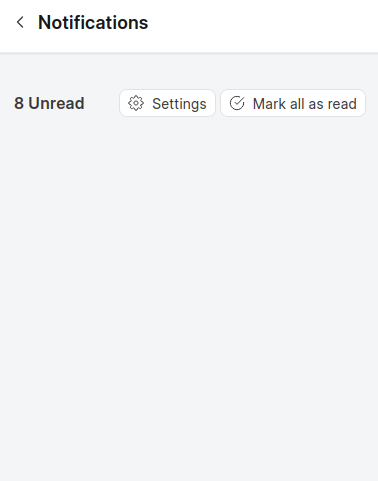
Can anyone help me with this?
Thanks!
1 Like
frappe does not have their mobile ap
Did you find the solution
Frontend Notification Routing Issue - Missing Route Definitions
I’m encountering an issue with notification display in the frontend that’s related to route definitions. Here’s a detailed breakdown of the problem:
The Problem
Notifications are not being displayed in the frontend even though they’re properly created and sent from the backend.
Root Cause Analysis
Backend Process
- Backend creates and sends notifications with properly filtered
to field
- Notifications are successfully transmitted to the frontend
Frontend Processing Issue
The problem occurs in src/views/Notification.vue at line 66 where the code calls:
:to="getItemRoute(item)"
The Route Generation Logic
The getItemRoute(item) function works as follows:
function getItemRoute(item) {
return {
name: ${item.reference_document_type.replace(/\s+/g, "")}DetailView,
params: { id: item.reference_document_name },
}
}
What this does:
- Takes the
reference_document_type from the notification
- Removes spaces and appends “DetailView” to create a route name
- Uses
reference_document_name as the route parameter
The Issue
The frontend checks if the generated route name exists in the router configuration. If the route doesn’t exist, the notification won’t be displayed in the list.
Example Scenario
For a Leave Application notification, the system expects this route definition:
{
name: "LeaveApplicationDetailView",
path: "/leave-applications/:id",
props: true,
component: () => import("@/views/leave/Form.vue"),
}
Solution Required
When creating PWA notifications manually, we need to ensure that:
- Route definitions exist for every
reference_document_type that will generate notifications
- Route naming convention follows the pattern:
{DocumentType}DetailView
- Route parameters are properly configured to accept the document ID
Question for Community
Has anyone encountered this issue before? What’s the recommended approach for handling notifications when the corresponding detail view routes haven’t been defined yet?
Should we:
- Add fallback route handling in the
getItemRoute function?
- Create a generic notification detail view?
- Modify the notification filtering logic?
Any insights would be greatly appreciated!