Massive Speed Boost • Smarter Retail Workflows • Seamless Upgrades
This month brings some of the most powerful enhancements ever shipped to POSNext, focusing on speed, retail intelligence, and rock-solid reliability.

 Intelligent Filter-Aware Caching (Performance Core Upgrade)
Our biggest performance upgrade to date.
A new high-speed caching engine engineered for real retail environments:
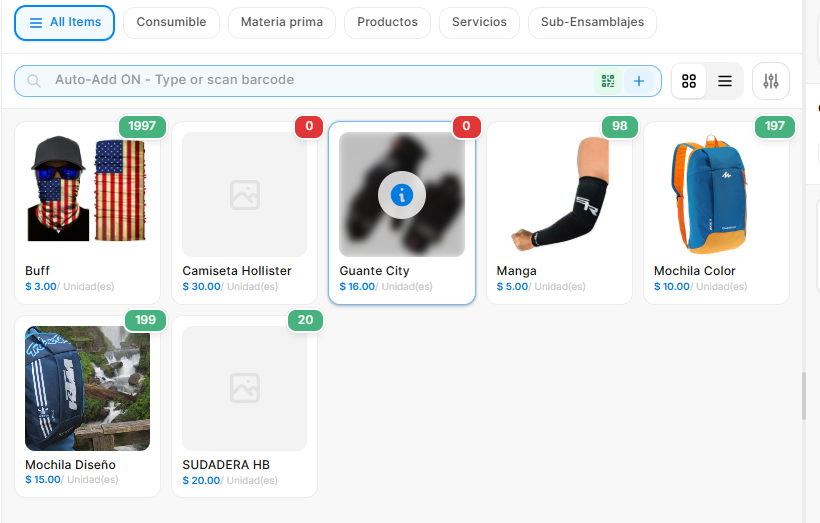
- Loads only POS Profile–assigned item groups → up to 90% less data
- Real-time sync via Socket.IO when filters change
- Smart delta updates — no more clearing the whole cache
- IndexedDB + LRU caching for 5× faster repeated searches
✓ Faster startup
✓ Smoother item browsing
✓ Greatly improved low-end device performance

 Free Items & Promotions Engine
A complete retail promotions workflow:
- Automatic handling of free-item quantities
- “+X FREE” badges inside the cart
- Quantity-based eligibility validation
- Fully reactive recalculation on every cart update
✓ Perfect for bundles, promotions, and retail campaigns

 High-Performance Partial Payments
A deeply optimized partial payment experience:
- Fast batch loading of invoices
- Real-time payment source labeling (POS vs Back Office)
- Highlighted overdue invoices
- Built for high-speed retail billing environments
✓ Ideal for multi-payment, installments, and customer credit workflows

 Enhanced Tax-Inclusive Pricing
More clarity, improved accuracy:
- Correct tax extraction in tax-inclusive mode
- Clear breakdown of gross → discount → net
- Updated thermal receipt (80mm) for better readability
✓ Fully aligned with ERPNext tax behaviour

 Automated Workspace Upgrade System
A significant stability boost during upgrades:
- Auto-detects all workspace JSON files
- Automatically reinstalls workspace on app update
- Cleans outdated links and invalid entries
- Ensures consistent workspace UI across deployments
✓ No more manual workspace fixes

 Universal UUID & Browser Compatibility Layer
Ensuring full compatibility across devices and browsers:
- Tiered UUID generator (Native → Crypto → Math.random)
- RFC4122-compliant UUIDs
- Works flawlessly on older browsers and low-end POS hardware
✓ Essential for mixed hardware environments
 Summary
The November release makes POSNext significantly stronger in:
Speed
 Retail features
 Reliability
 Upgrade safety
 GitHub:
https://github.com/BrainWise-DEV/POSNext
Your feedback and contributions continue to shape the future of POSNext!