Hello,
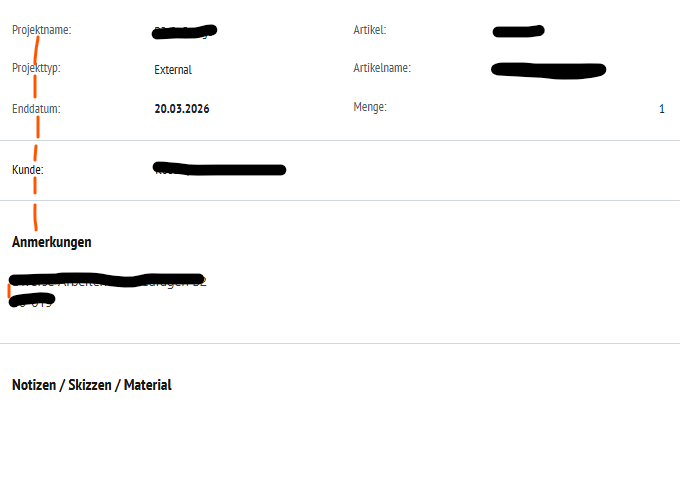
We would like to make the print format more compact. How can I reduce the line spacing between fields (red) in the print format?
Best regards,
Patrick
Add this to your Print Format → CSS:
.print-format,
.print-format * {
line-height: 1.2;
}
You can go tighter if needed:
line-height: 1.1;
Avoid going below 1.05 (text becomes unreadable in PDF).
The line-height fix suggested helps, but from your screenshot it looks like you’re after the spacing between field blocks, not just within text. You might need to target margins and padding too.
Something like this in your Print Format CSS:
.print-format .row {
margin-bottom: 2px;
}
.print-format td, .print-format th {
padding: 2px 4px;
}
.print-format p {
margin-bottom: 2px;
}
Play around with the values — 2px is pretty tight, you might want 4px or 5px depending on how it looks.
Also worth checking if you have extra <br> tags or empty divs in there , those sometimes add space you don’t expect.
Thank you, that worked for one area.
Thank you very much for your help. Unfortunately, it does not work. I am a complete beginner and I only enter the commands in the Custom CSS field. Could this be the reason why it is not working?