ejaaz
1
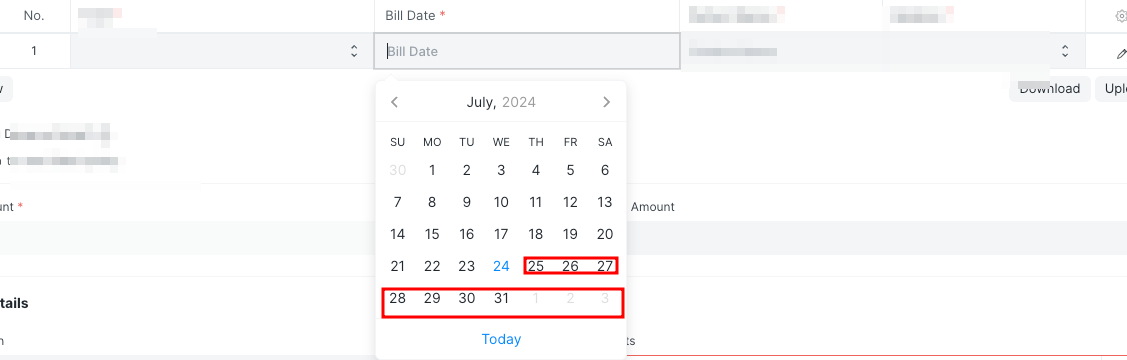
My child table contains a date field. I want to prevent users from selecting a future date in this field by disabling future dates in the datepicker.
Here is what I have tried…
cur_frm.fields_dict.field_name.grid.frm.fields_dict.bill_date.datepicker.update({
    maxDate: new Date(frappe.datetime.get_today())
});
cur_frm.fields_dict.field_name.grid.debounced_refresh();
1 Like
ejaaz
3
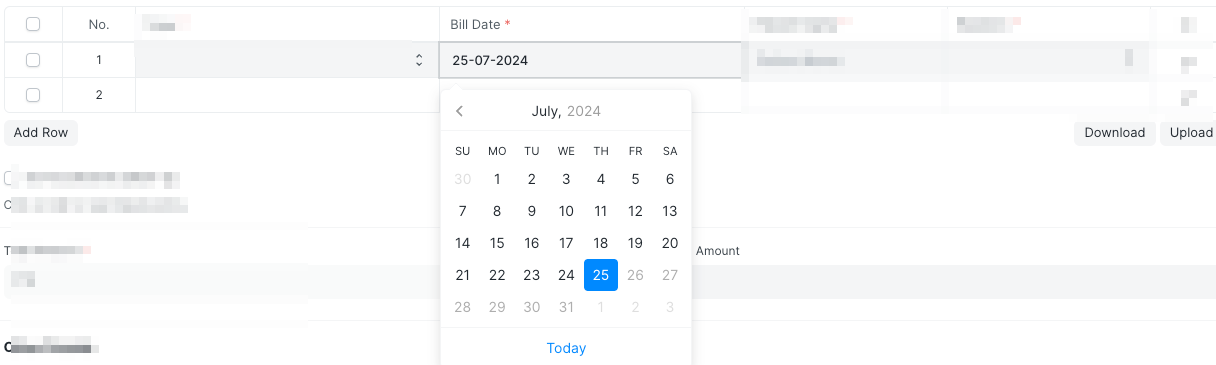
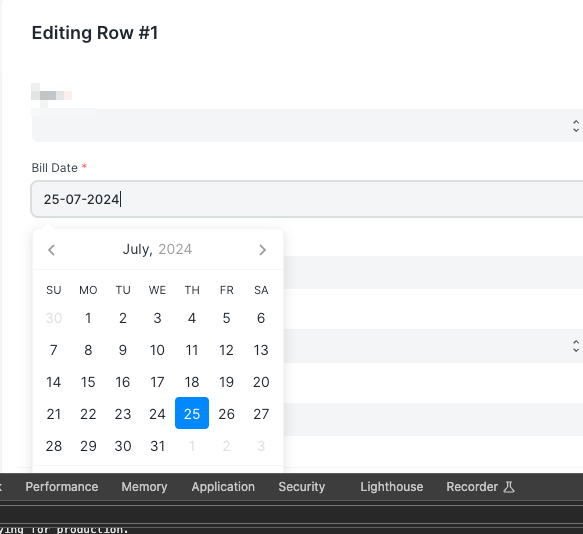
I manage to do this in a child table when the child table popup is not open, but this code is not working when the popup is open.
my code
 $('div[data-fieldname="bill_date"]').click(function(){
        cur_frm.fields_dict.field_name.grid.grid_rows.forEach(element => {
        if (Object.keys(element.on_grid_fields_dict).length){
            element.on_grid_fields_dict.bill_date.datepicker.update({
                maxDate: new Date(frappe.datetime.get_today())
            });
        }
    });
});
ejaaz
4
Continuing from my previous reply…
I manage to do this by this code when child table popup is open
form_render: (frm, cdt, cdn) => {
    $('input[data-fieldname="bill_date"]').click(function(){
        frm.cur_grid.grid_form.fields_dict.bill_date.datepicker.update({
            maxDate: new Date(frappe.datetime.get_today())
        });
    });
},
5 Likes
Don’t forget to add a validation on the server side of things 
1 Like
avc
7
Thanks for sharing your own-learning process! This kind of tricks are really useful


2 Likes
To apply datepicker for a child table field in list view:
Add this in onload_post_render of parent doctype
frm.fields_dict.child_table_name.grid.wrapper.on('click', 'input[data-fieldname="field_name"]', function () {
    let grid_row = frm.fields_dict.child_table_name.grid.get_row($(this).closest('.grid-row').attr('data-name'));
    if (grid_row && grid_row.on_grid_fields_dict.field_name?.datepicker) {
        grid_row.on_grid_fields_dict.field_name.datepicker.update({
            minDate: your_min_date,
            maxDate: your_max_date
        });
    }
});
To apply datepicker for a child table field in grid popup view:
Add this in form_render of child table
frm.cur_grid.grid_form.fields_dict.field_name.datepicker.update({
    minDate: your_min_date,
    maxDate: your_max_date
});
Replace child_table_name and field_name accordingly.
4 Likes