Reveal Password - Enterprise Security for Frappe
Trusted Users Will Reveal Password on the go
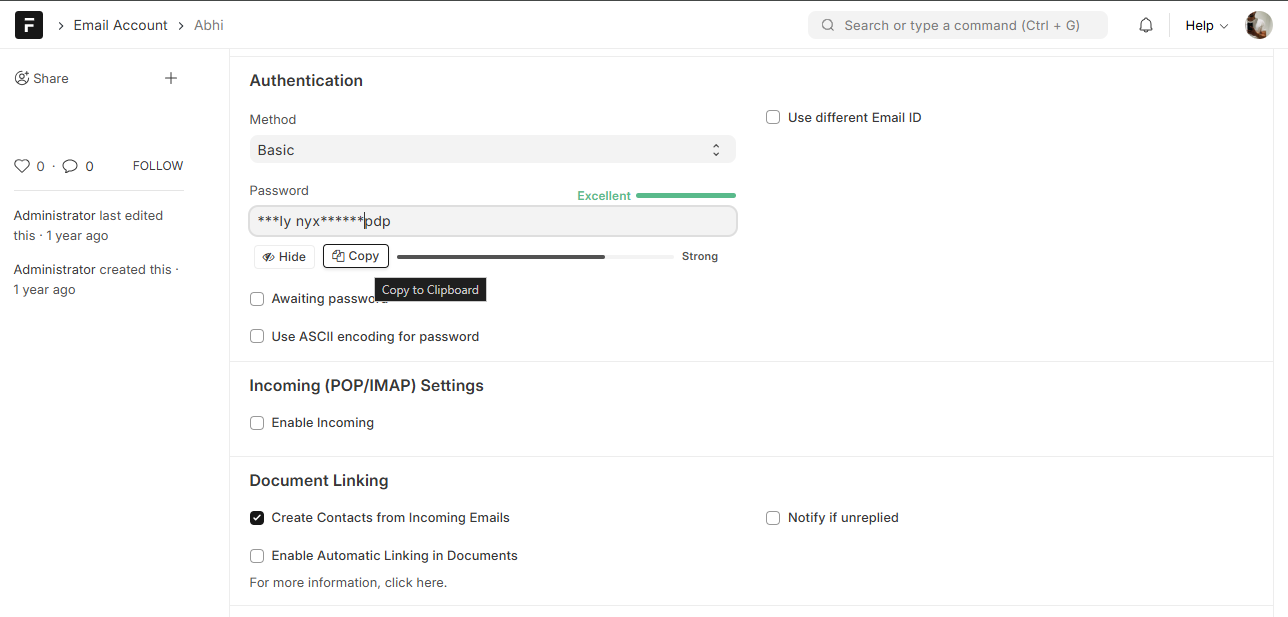
Reveal Password is a comprehensive, enterprise-grade security solution for Frappe applications. It transforms the standard password field into a secure, managed, and audited credential management system.
Quick Start Guide - How to Use
- Trusted User: Open Trusted User Doctype → New → Enable and add user → Save
- Reveal Allowed Doctypes: Open Reveal Allowed Doctypes → New → add doctype for which you want to use reveal password → Save
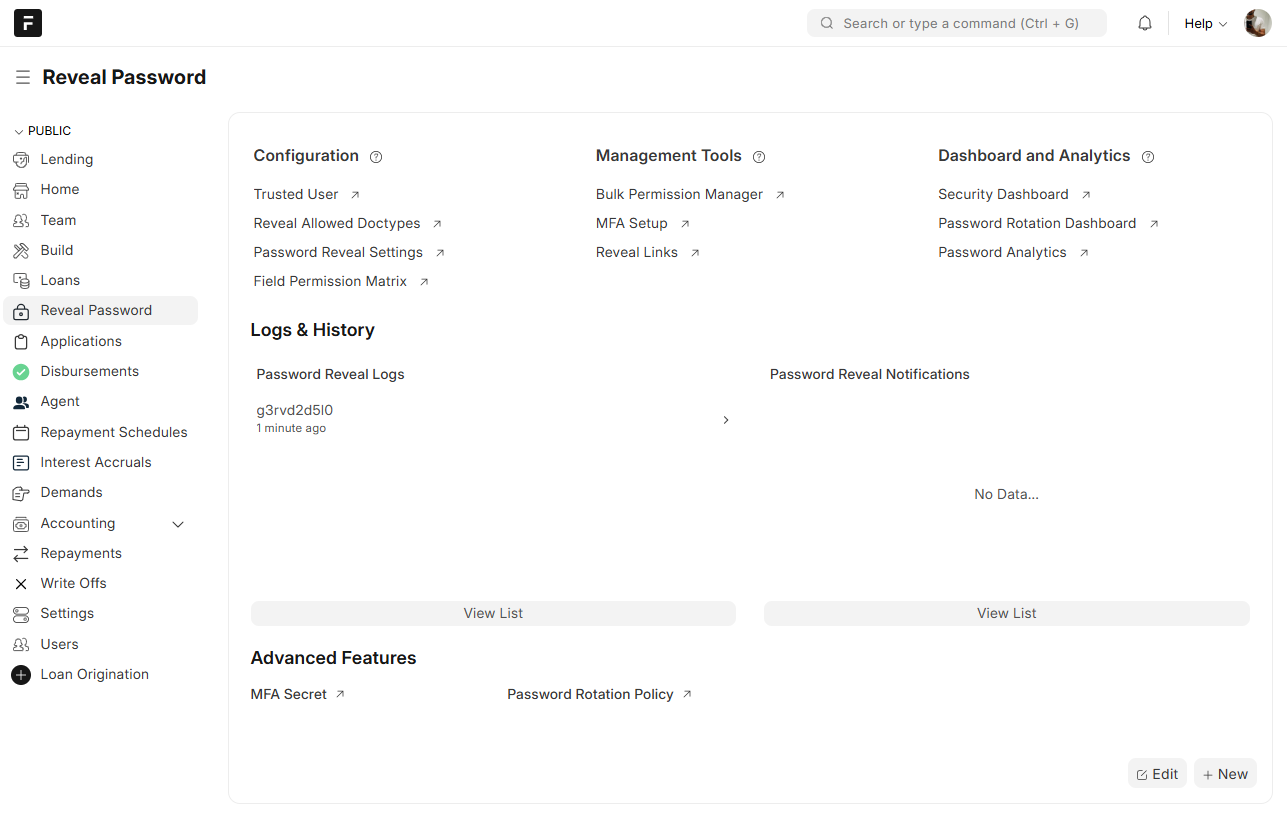
- Workspace → Reveal Password: here you can find dashboard, analytics and other shortcuts
Key Features
Core Security
- Secure Reveal: Permission-based password reveal for trusted users.
- Audit Logging: Comprehensive tracking of all reveal attempts (success & failure).
- Rate Limiting: Protection against brute force attacks (5 requests/minute).
- Encryption: Seamless integration with Frappe’s native encryption.
Advanced Access Control
- Field-Level Permissions: Granular control over who can reveal which specific password fields.
- Multi-Factor Authentication (MFA): TOTP-based 2FA integration (Google Authenticator, Authy) with backup codes.
- Trusted User System: Explicit whitelist of users authorized to reveal passwords.
Monitoring & Detection
- Session Tracking: Detailed logging of IP, device fingerprint, and geolocation.
- Anomaly Detection: AI-driven scoring (0-100) to detect suspicious behavior (unusual time, new IP, rapid reveals).
- Security Dashboard: Real-time monitoring of active sessions, threats, and usage metrics.
- Automated Alerts: Email notifications for suspicious activities.
Sharing & Rotation
- Temporary Password Sharing: Generate secure, time-limited links with usage limits and QR codes.
- Guest Access: Share passwords securely with non-users via encrypted one-time links.
- Password Rotation: Automated policies to rotate passwords on a schedule (Daily, Weekly, Monthly).
Analytics
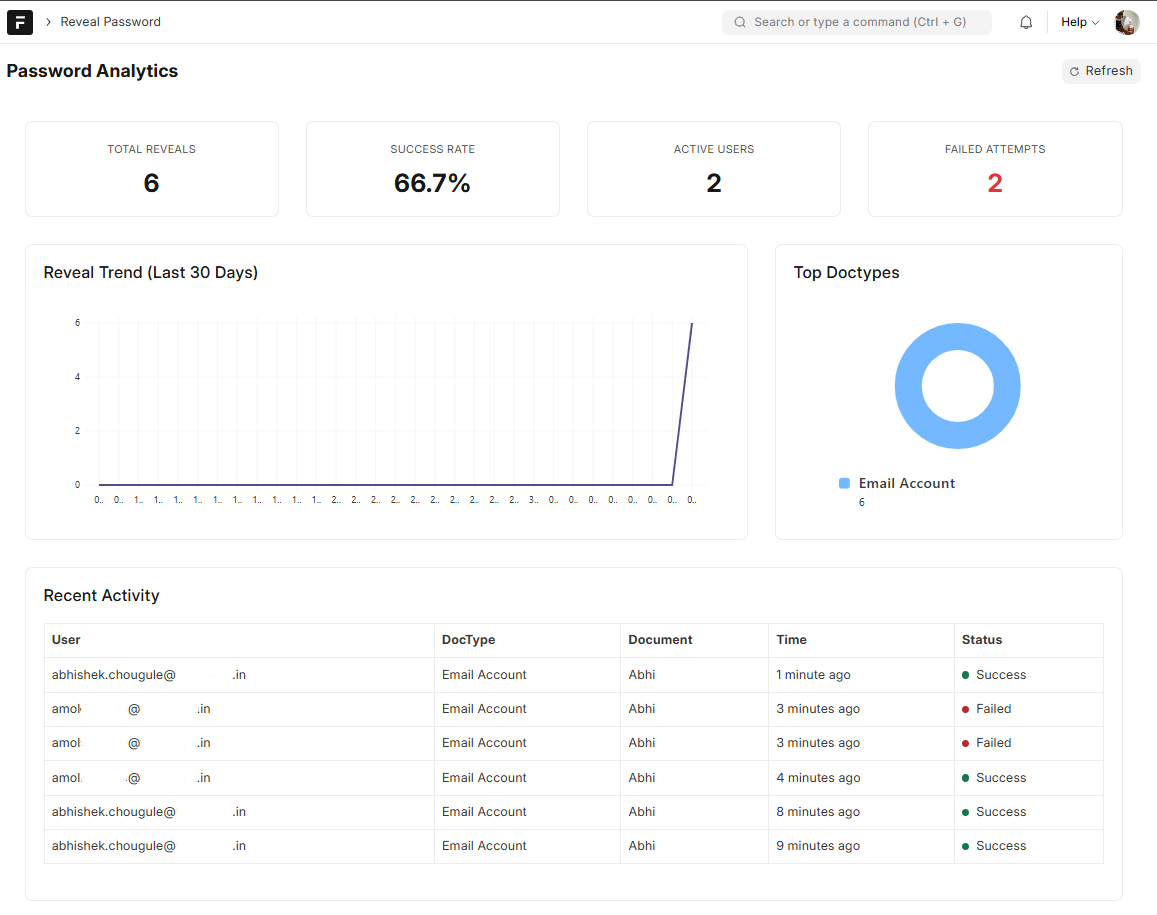
- Usage Analytics: Visual dashboards for reveal trends and user activity.
- Compliance Reports: Exportable CSV reports for security audits.
Installation
You can install this app using the bench CLI:
cd $PATH_TO_YOUR_BENCH
bench get-app https://github.com/Abhishek-Chougule/reveal_password
bench install-app reveal_password
How to Use
1. Initial Setup
- Add Trusted Users: Go to Trusted User list and add users who are allowed to use the reveal feature.
- Whitelist DocTypes: Go to Reveal Allowed Doctypes and add the DocTypes (e.g.,
User,Email Account) where password revealing should be enabled.
2. Configure Field Permissions
Control exactly which fields a user can see.
- Navigate to Field Permission Matrix.
- Click “Auto-Detect Fields” to find all password fields in your system.
- Set permissions for specific Roles or Users.
- Use the Bulk Permission Manager page to update permissions for multiple DocTypes at once.
- Use the “Test Permission” button to verify if a specific user can access a field.
3. Set Up Multi-Factor Authentication (MFA)
Secure your account with 2FA.
- Navigate to the MFA Setup page.
- Follow the 5-step wizard.
- Scan the QR Code with your authenticator app (Google Authenticator, etc.).
- Enter the verification code to confirm.
- Save your Backup Codes securely! These are the only way to access your account if you lose your device.
4. Share Passwords Temporarily
Share credentials securely without revealing the actual password permanently.
- Navigate to My Reveal Links page.
- Click “Create New Link”.
- Select the Document and Field you want to share.
- Set Expiration (e.g., 24 hours) and Max Uses (e.g., 1 use).
- Copy the generated Secure URL or show the QR Code.
- The recipient can access the link to see the password. The link expires automatically.
5. Automate Password Rotation
Ensure security by rotating passwords regularly.
- Navigate to Password Rotation Policy.
- Create a new policy (e.g., “Rotate API Keys”).
- Select the Target DocType and Field.
- Set the Frequency (Daily, Weekly, Monthly).
- (Optional) Add a Filter to target specific documents (e.g.,
{"role_profile": "API User"}). - The system will automatically rotate passwords based on your schedule.
- Monitor status in the Password Rotation Dashboard.
6. Monitor Security
Keep an eye on your system’s security posture.
- Security Dashboard: View real-time metrics, active sessions, and suspicious activity alerts.
- Password Analytics: Analyze usage trends and most accessed documents.
- Reveal Session: View detailed logs of every single reveal attempt, including anomaly scores and device info.
Security Architecture
- Zero-Trust Design: Every reveal attempt is verified against multiple layers (Trusted User → DocType Whitelist → Field Permission → MFA).
- Secure Storage: All secrets (MFA keys, temporary tokens) are stored using Frappe’s encryption.
- Anomaly Detection: The system calculates a risk score for every request based on 5 factors: Time of Day, IP Address, Device Fingerprint, Frequency, and Success Rate.
Contributing
This app uses pre-commit for code formatting and linting.
cd apps/reveal_password
pre-commit install
License
MIT