Announcing Role Control for Frappe — 0.1.0 (Frappe v16)
Hi everyone,
I’m sharing Role Control, a Frappe app for central, configurable control of form and list buttons by Role, User, and optionally Company — without editing each DocType’s client script.
What is Role Control?
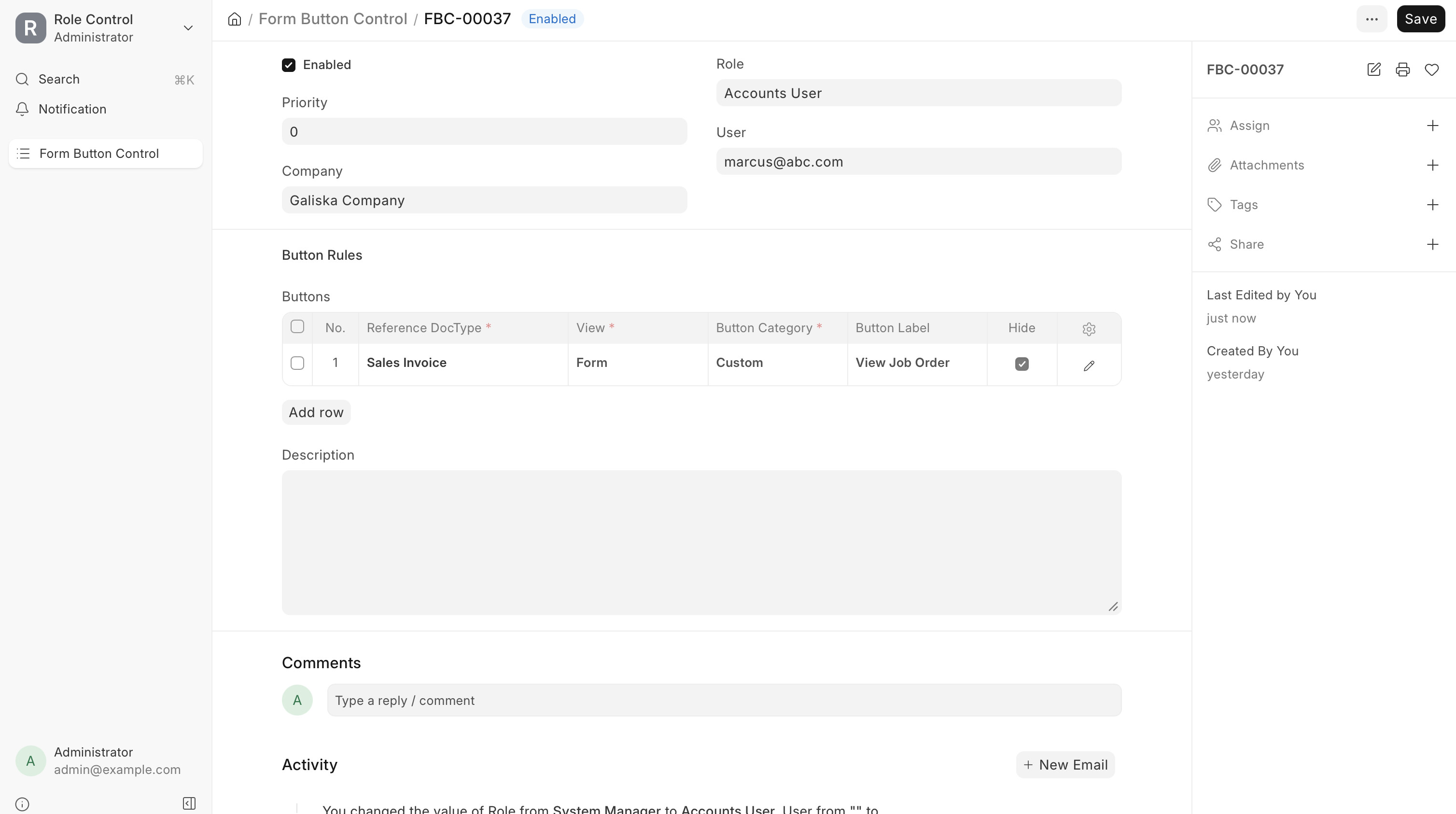
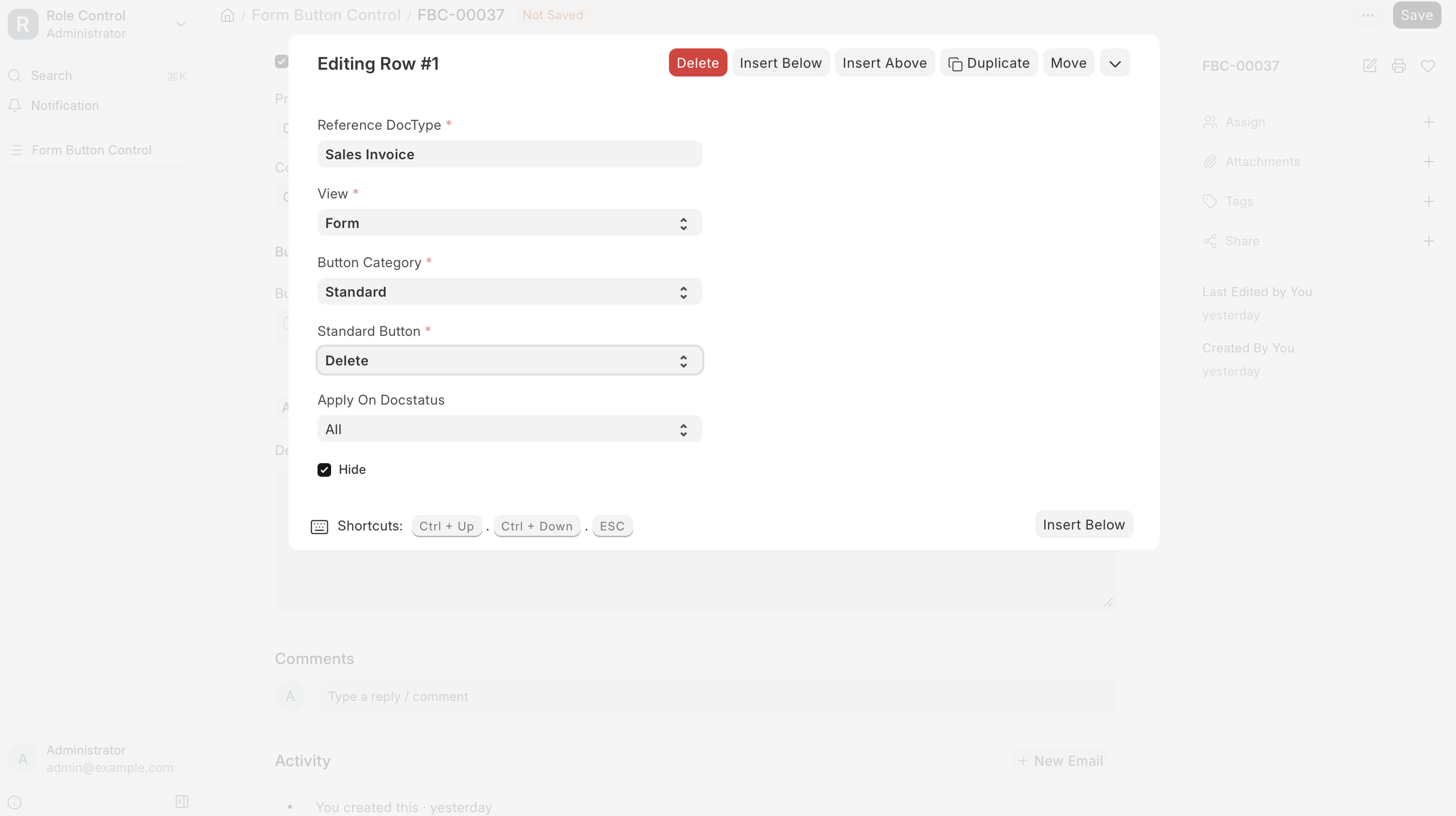
Role Control adds a Form Button Control DocType and a desk integration that hides standard, custom, workflow, and menu actions where you define rules. It is aimed at ops-heavy custom apps (many add_custom_button actions per form) where DocPerm alone is too coarse.
Current stage
- First public release for Frappe v16 & v15.
- Core feature: Form Button Control (form + list views).
- UI-only hiding — pair with DocPerm / server checks for sensitive actions (see Security below).
Key features
- Rules per Role and/or User, optional Company scope
- Priority when multiple rules target the same button
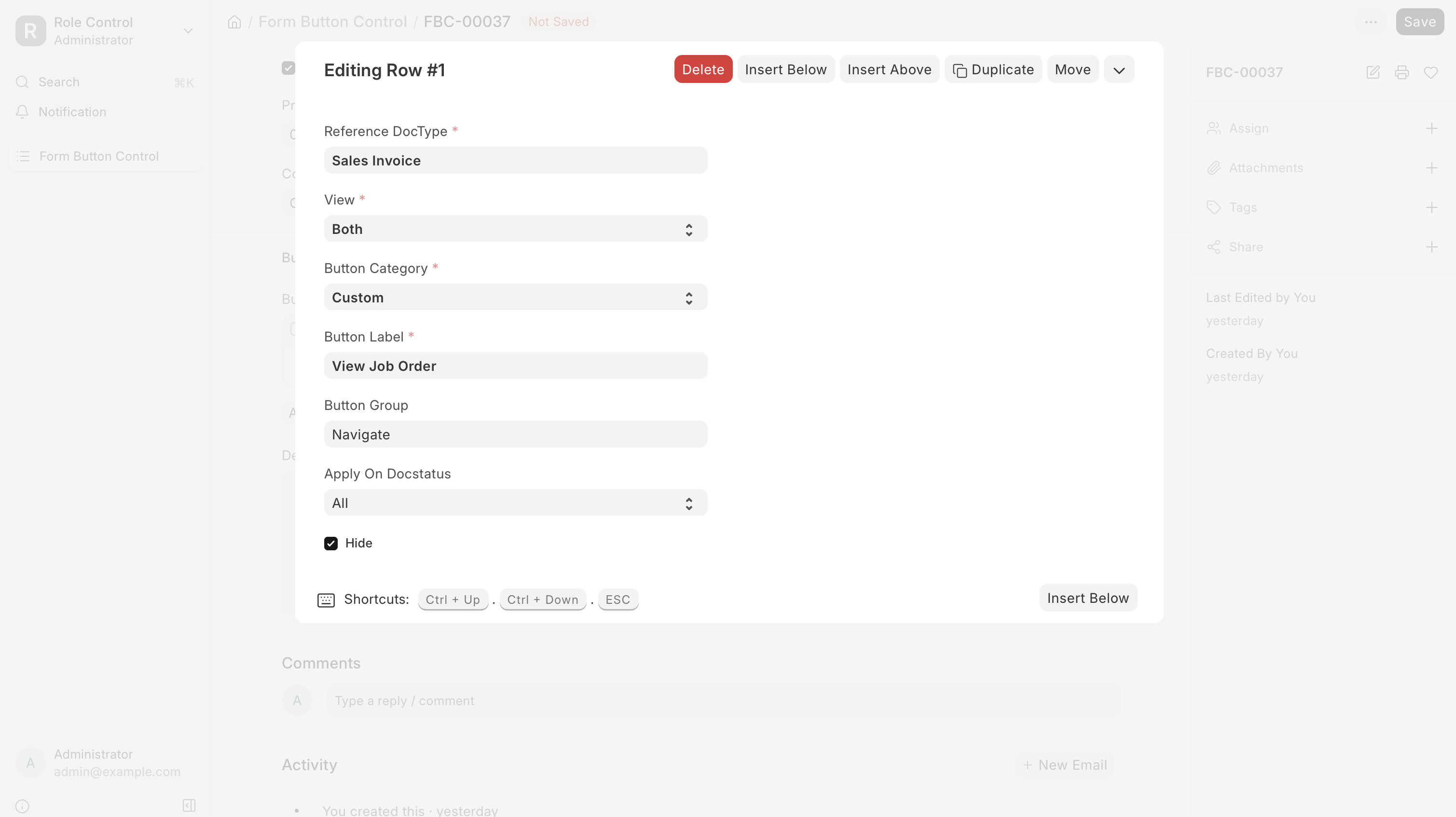
- Child rows: DocType, view (Form / List / Both), button category, label, optional button group (
Actions,Navigate, main toolbar) - Autocomplete for button labels from JS scan (including multiline
add_custom_button+ group) and menu catalog - Optional
button_control_registryhook for apps to register extra labels - Caching + tests (
bench run-tests --app role_control) - Administrator bypass (rules still apply to System Manager and other roles)
Screenshots
Installation & Requirements
From bench root:
bench get-app https://github.com/abdullla00/role_control --branch main
bench --site <your-site> install-app role_control
bench --site <your-site> migrate
bench build --app role_control
bench restart
Looking for Feedback On
-
Missing or incorrect button labels/groups in autocomplete (JS scan)
-
Hiding buttons in Actions / Navigate groups (empty group behavior)
-
List view button rules
-
Server-side enforcement vs UI-only hiding
-
Ideas for next features (field control, global profiles)