Good day,
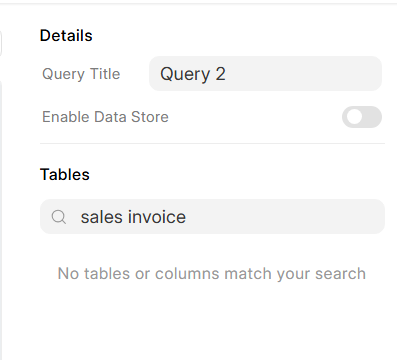
When I use SQL Editor, some tables aren’t shown in the right side panel
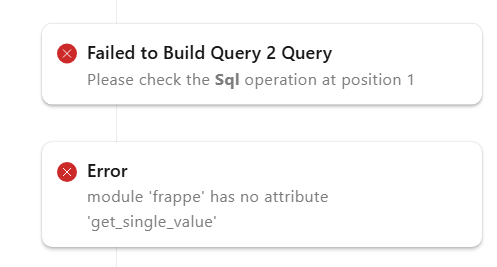
Additionally, when I make a custom SQL query and use the SQL Editor, it throws up an error like these
But my sql query is just very simply
Select * from `tabSales Invoice`
Please give me some guidance or point me in the right direction/documentation
Thank you
Active Users: v1.0.10 (main)
ERPNext: v15.54.4 (version-15)
Frappe Framework: v15.58.1 (version-15)
Frappe HR: v16.0.0-dev (develop)
Insights: v3.11.1 (version-3)
I updated to Insights: v3.11.2 and it worked
Reviving this thread because it might be useful for others. Luigi, it’s great that updating Insights solved the problem! For anyone else who encounters similar issues with specific versions, checking for updates on installed modules can often be a quick fix. Has anyone else faced similar glitches with the latest ERPNext versions? Let’s share any more resolution tips here!