I’m developing Frappe apps using a .devcontainer setup with Frappe Docker. I’m running the project using bench start.
The issue is: whenever I make changes in example.js (which is included via app_include_js), those changes do not reflect immediately. I have to run bench build every time, and only then the updates appear.
Even though I’ve confirmed that developer_mode is enabled in site_config.json, it’s still not reloading automatically.
Running bench build each time is frustrating because it takes more than 100 seconds to complete. It really slows down development and breaks focus.
Is there any way to improve this workflow? Please help me fix this.
Been running into a similar problem. There’s a “watch” process that’s supposed to be watching for code changes in order to make them available right away. It used to work for me, I could see it reacting (in the output from the “bench start” command, I think). As it is now, when I call “bench start”, I can see that process starting up:
14:51:12 watch.1 | Watching for changes...
But then I don’t see any reactions from it when I modify the main CSS file for my custom app.
There is a warning popping up right before the watch process starts (“caniuse-lite is outdated”) and I may look into this, but that warning has always been there, even back when the watch process worked.
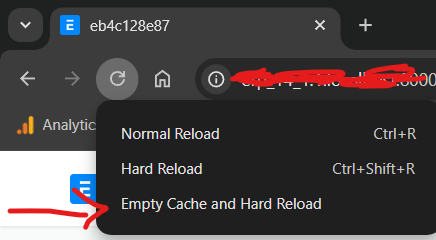
(Edit:) Also, forgot to add: clearing the browser cache doesn’t work, and neither does any call to the “clear-cache” or “clear-website-cache” bench commands.
Any ideas about this? I have some simple Python code being triggered on Item save. If I introduce a typo in the Python file and run “bench clear-cache”, I get an error message regarding the typo, which proves that the Python file is being read. However, when saving an Item, I don’t see the results from the Python code being executed, and no amount of “bench clear-cache”, “bench clear-website-cache” and “bench restart” changes that. (I know actually stopping and starting the bench would probably do it, but I don’t want to have to do that every time.) I installed ERPNext using frappe_docker, running in developer mode, and recently upgraded to v16.
Edit: I applied the solution found at the end of this thread and that solves my immediate problem, though I’m not sure if that will do for the long term (it involves modifying one of the core Frappe app files, which I would have preferred not to do). Oddly, the advice in that thread was to modify a code block in the apps.py file, but I found and modified that block in the app.py file (no “s”).
My setup seems similar to what you described at the top of the thread: development setup using the frappe_docker project. The fix in my last post seems to be working for me, for now. I suppose I’d have to reapply it if I update Frappe, which might overwrite my changes. (I hadn’t even tried bench build to reload the script files, as you had, since I saw it was not recommended when using a frappe_docker setup.)
Noted. The cache trick wouldn’t work for me, though, when I’m working on Python scripts which aren’t cached in the browser. It’s OK, I have at least a temporary solution, as detailed in my last edit. Hope your work is going well, have a good day.