hi everyone,
I would like to synchronize between ERPNext and Frappe Books. Does anyone know the values that should be input in the settings for it to work? I’m having Connection failed at the moment.
Thanks
On your cloud site,
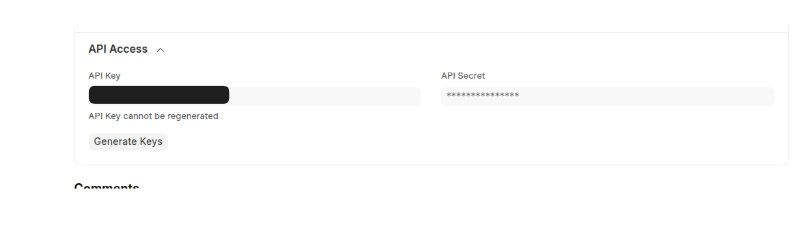
Goto users –> select the user who has system manager access –> settings –> API key and token copy and paste onto desktop app.
This is interesting. Is this a customization you made to Frappe Books? It there any documentation? Is it a one way or two way sync?
Thanks,
I’ve tried but it does not seem to work as I’m still receiving the “Connection failed”
I’ve tried the following combinations to get an Auth Token which gave me no results:
I am using the self hosted version of ERPNext with a custom domain name (erp.example.com), should I include the https when adding it?
It’s interesting but there is a lack of documentation to use its full potential.
@cbongard90
The API credentials must be entered in the “Auth Token” field as follows: api_key:api_secret.
Have you installed the “books_integration” app on your ERPNext instance?