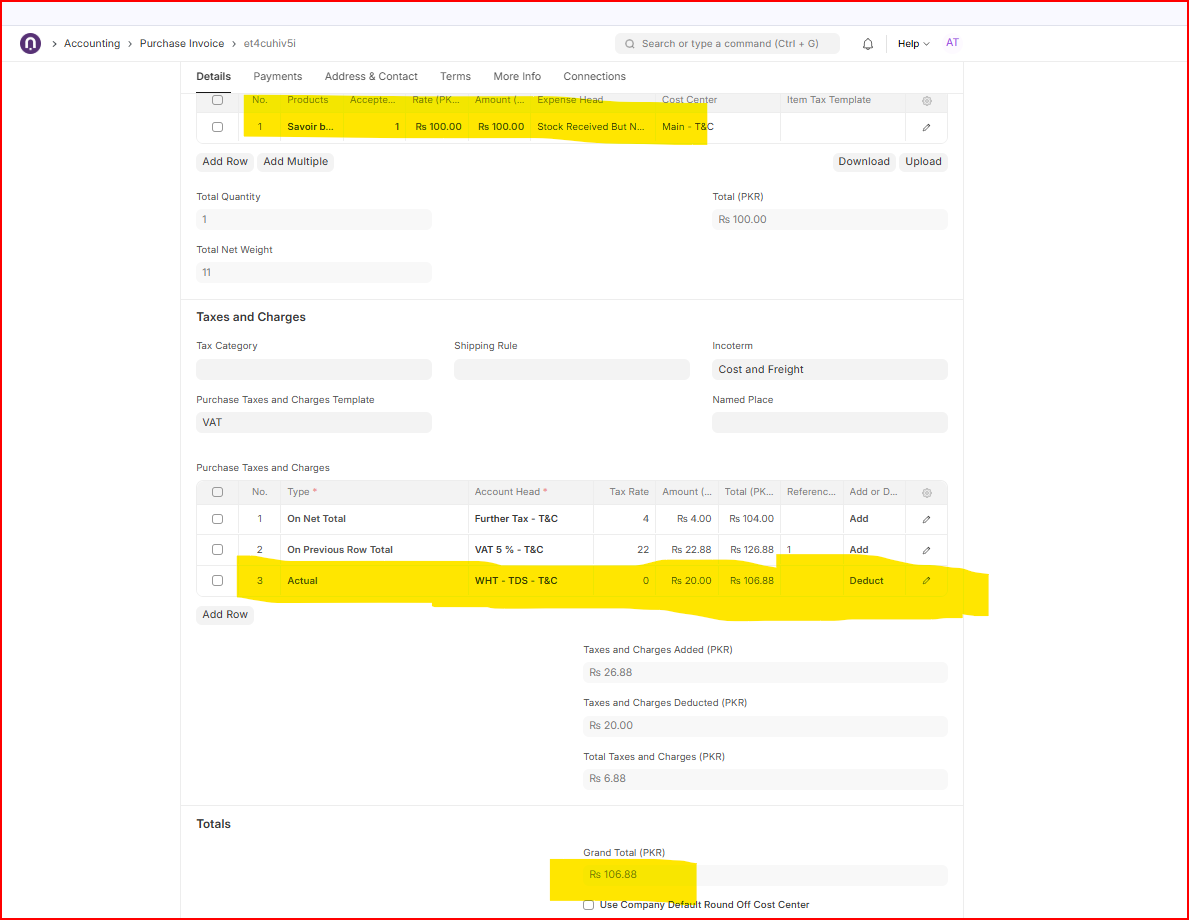
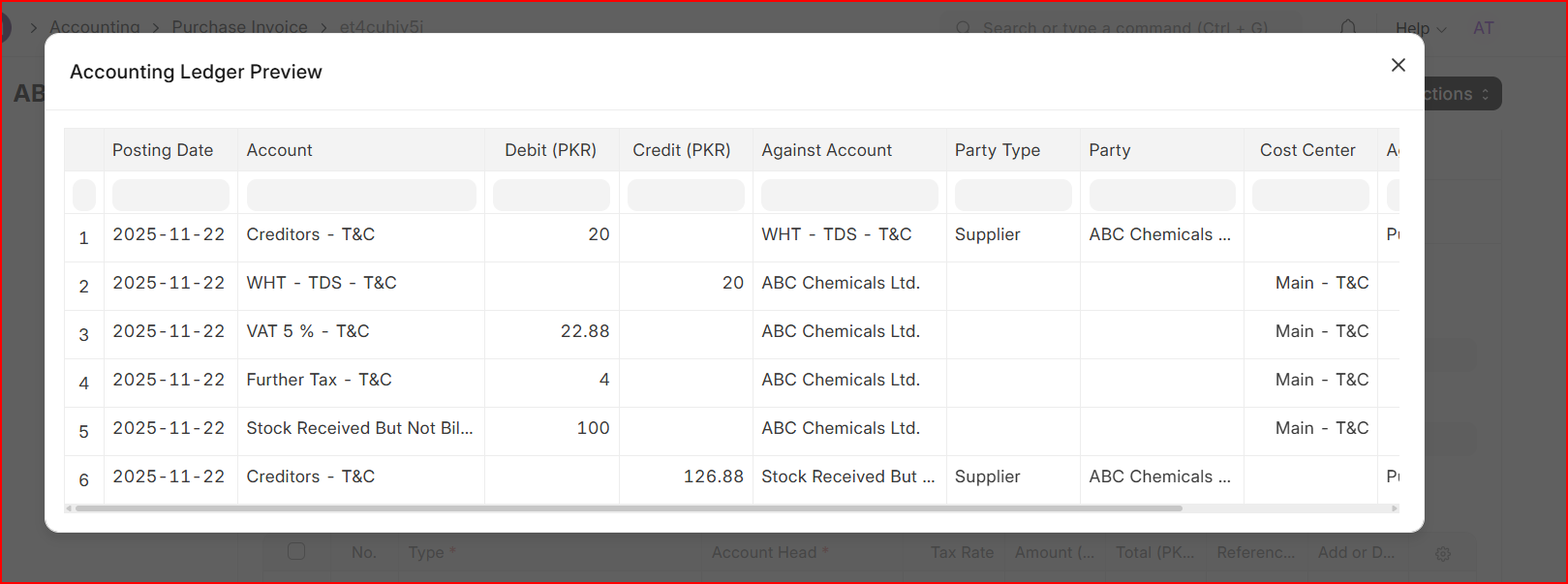
I’m using ERPnext v15 with the last updates.
I need to register some Purchase Invoice with the tax Withholding mechanism.
This is the logics that I need to set and I’d prefer to explain with an example.
The net purchase of a service from a supplier is worth €100.
The 20% withholding tax is: €20
There is a 4% extra contribution to special fund: €4
The taxable base becomes: €104
VAT at 22% is: €22.88
The total invoice amount to be paid is €126.88
Of which:
-
€106.88 are actually paid to the supplier
-
€20 (the withholding tax) will be paid later by the client to the tax authorities using a specific payment process.
I tried to follow this video https://www.youtube.com/watch?v=JMvmORnc0Hw&t=141s and the previous one in the list, but after saving the Purchase Invoice nothing happens in the Taxes and Charges section. The line with the Tax Withholding does not appear like in the video. Why?
Please consider that there there is already the VAT calculation and the extra contribution to special fund. I expected that the line with the right calculus of the Tax Withholding should appear but nothing.
Why?