Hi Team,
I’m using Frappe Helpdesk on Frappe Cloud, and I need to customize the UI of the Helpdesk App View, specifically the page:
https://<site-on-frappe-cloud>/helpdesk/tickets/<ticket-number>
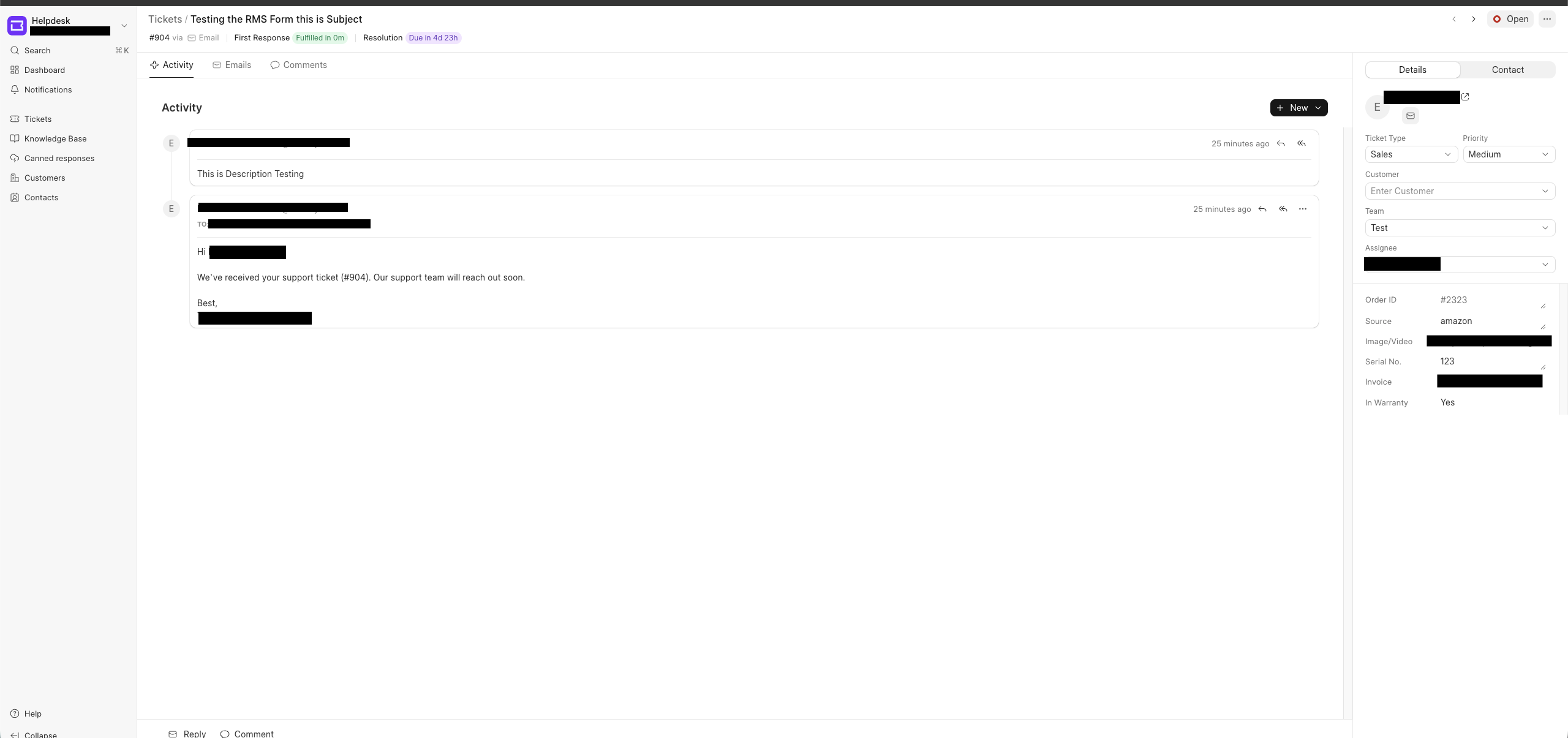
Screenshot 1 — View Ticket Page (Helpdesk App)
In this screenshot, you can see that the custom fields appear below the Assignee on the right side. However, the labels and UI look different from the built-in fields, and I need some UI customization options to match the design.
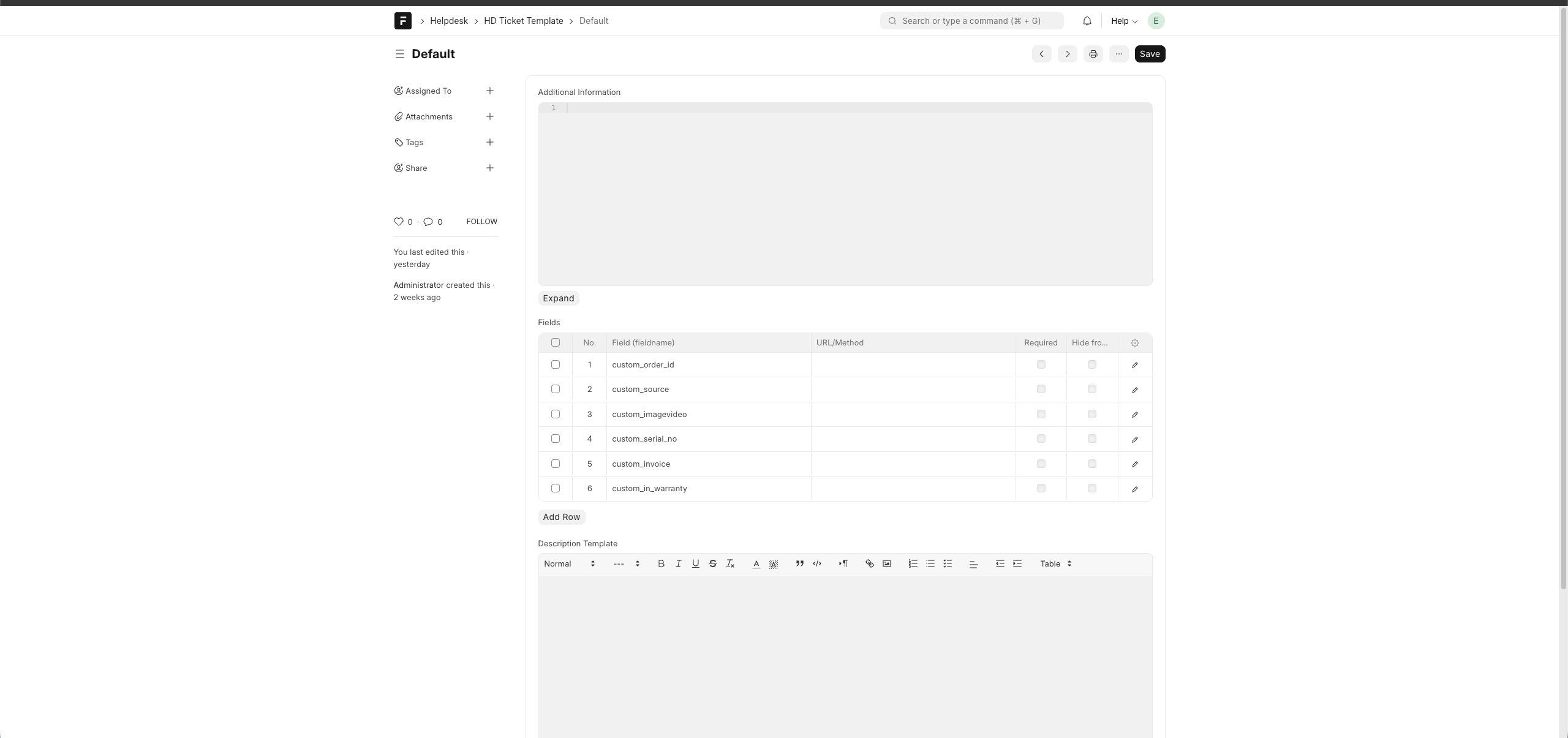
Screenshot 2 — HD Ticket Template (Where I Added Custom Fields)
This screenshot shows the HD Ticket Template in Doctype Customization, where I added the custom fields that now appear on the View Ticket page. However, I cannot customize how these fields visually appear in the Helpdesk App.
However, I’m unable to find any way to customize the Helpdesk Interface. I have tried the following:
-
Checking “Website → Web Templates” → No template for this page
-
Customizing the HD Ticket DocType does not affect this view. I am only able to add custom fields
-
Client Scripts do not run on the app view
-
No option in Helpdesk Configurations to modify the layout/UI
What I need:
- Clarification on whether it is currently possible to customize the UI/layout of the Helpdesk app