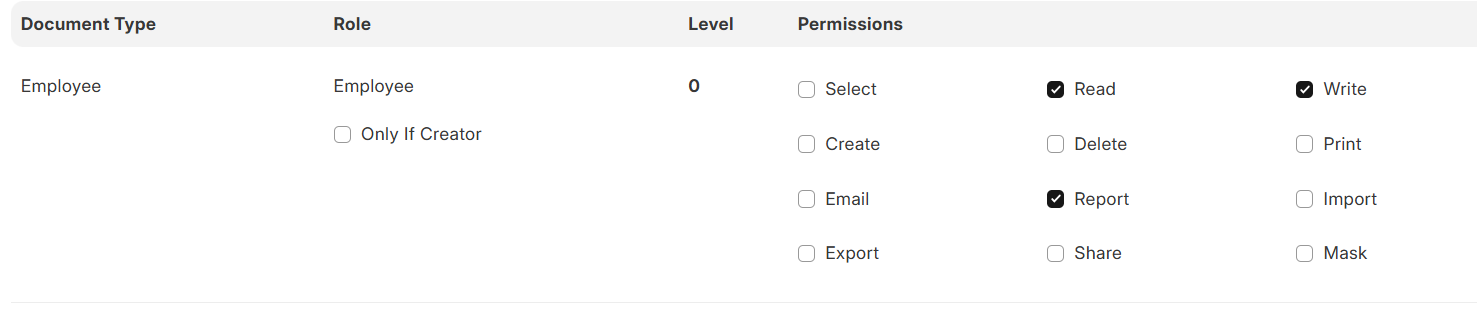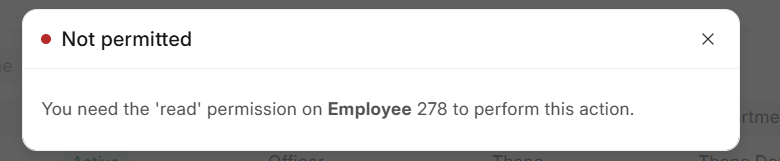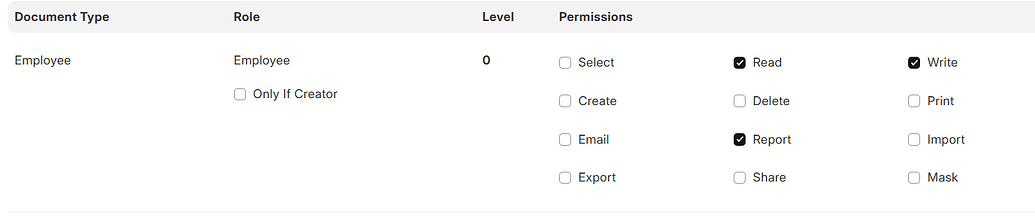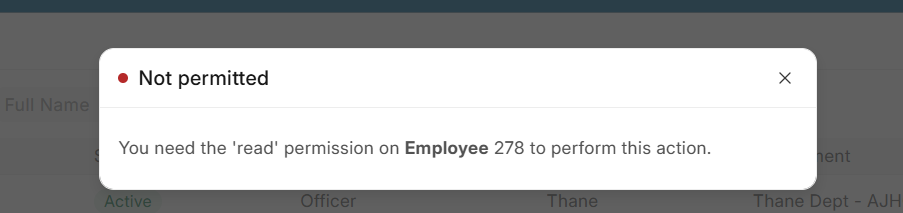
This Login Account of employee 278 . we have already give read,write permission to employee role.
but this issue is pop when employee 278 is login and click on our employee form.
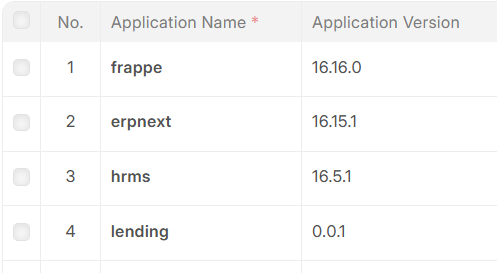
Version-16
This Login Account of employee 278 . we have already give read,write permission to employee role.
but this issue is pop when employee 278 is login and click on our employee form.
Version-16
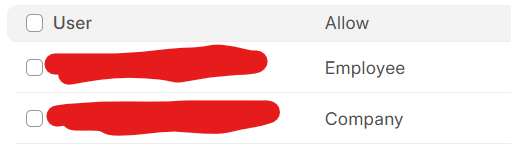
The issue might be caused by User Permissions configured for the logged-in user on the Employee DocType. Please verify if any such permissions exist.
Is the Employee record that is not opening the same as the one linked to the logged-in user, or is it a different employee?
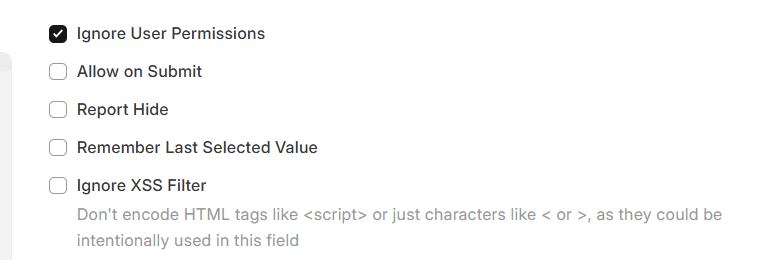
If it’s different, please remove the User Permission for the Employee DocType and try again.
Suppose i have login with Employee -A user so this error is show after clicking on employee-A name in list view.
This come for all the employee he cannot access own record.
if suppose any is reporting to EMp- A . so emp-A can access this record but not own record.
Please Check in User Permission of Employee For that User is that user permission is for there own record or not
If i have remove own employee user permission so he can access all employee list.
please help me to solve this issue
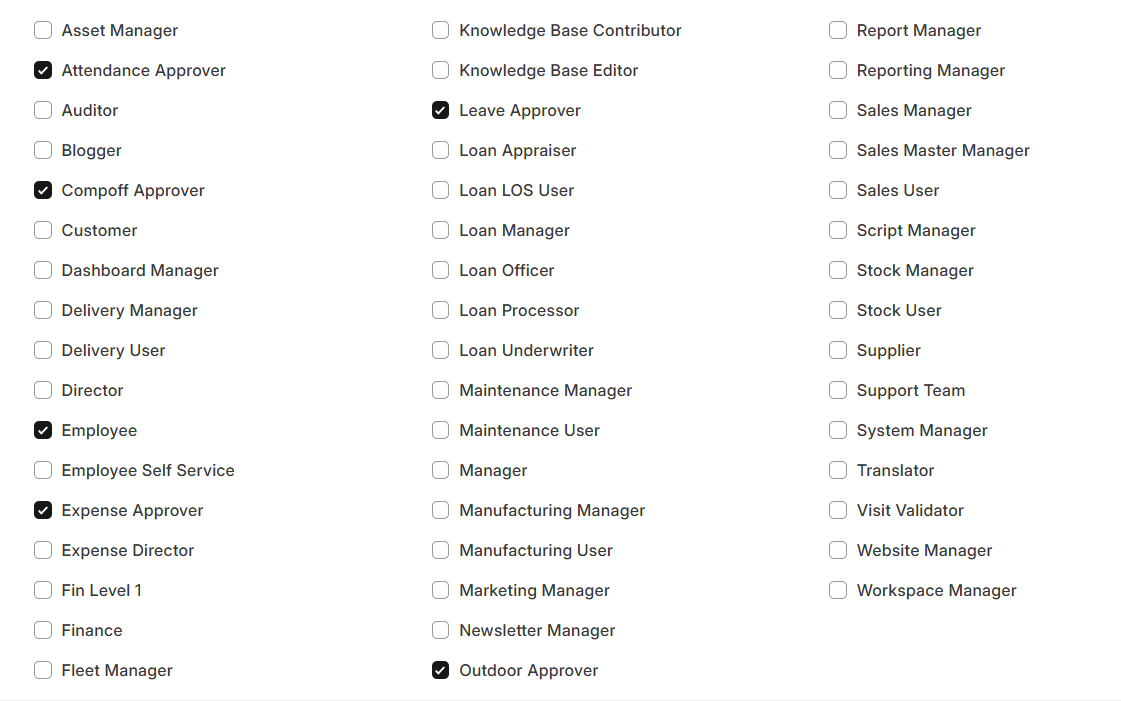
OK your user has which roles?
It’s possible that the “Reports To” employee of Current User Employee is different, which might be causing the access restriction.
Please check ignore_user_permissions for the “Reports To” field is there or not and If not please set —this should resolve the issue.
Have you added the has_permission method in the Employee DocType in your custom app?
No . in version-15 code custom_app code working properly .
Yes, but in Version 16 there are also some changes related to has_permission. You can refer to the migration guide here for details: Migrating to version 16 · frappe/frappe Wiki · GitHub
I’m saying that if you are using has_permission for the Employee DocType in your custom app, you should once review the document above, as some logic has been updated in Frappe’s has_permission function.
In Frappe v16, has_permission hooks now need to explicitly return True. Previously returning None or any non-False value was enough to allow the user — this no longer works.
Looking at the core permissions.py you shared earlier, this is the critical function:
def has_controller_permissions(doc, ptype, user=None, debug=False) -> bool:
    hooks = frappe.get_hooks("has_permission")
    methods = hooks.get(doc.doctype, []) + hooks.get("*", [])

    for method in reversed(methods):
        controller_permission = frappe.call(method, doc=doc, ptype=ptype, user=user)
        if not controller_permission:
            return bool(controller_permission)  # None = False = DENIED ❌

    return True
Any hook returning None = access denied in v16.
"*" wildcard hookCheck if HRMS app (not your custom app) has a has_permission hook registered for "*" (all doctypes). Run this:
bench --site yoursite.com console
import frappe
print(frappe.get_hooks("has_permission"))
has_permission to your custom_app hooks.pyOpen your hooks file:
/home/frappe/frappe-bench/apps/custom_app/custom_app/hooks.py
Add this block:
has_permission = {
    "Employee": "custom_app.custom_app.employee.has_permission"
}
Then create the function in your employee.py:
def has_permission(doc, ptype, user):
    """
    Explicitly return True for v16 compatibility.
    In v16, returning None is treated as False (denied).
    """
    # Allow employee to access their own record
    employee_user = frappe.db.get_value("Employee", doc.name, "user_id")
    if employee_user == user:
        return True

    # Allow HR roles full access
    user_roles = frappe.get_roles(user)
    if any(role in user_roles for role in ["HR Manager", "HR User", "System Manager"]):
        return True

    # Must explicitly return True (not None) for v16
    return True
bench --site yoursite.com clear-cache
bench restart
Most importantly — paste the output of:
print(frappe.get_hooks("has_permission"))
This will show exactly which app is registering a has_permission hook and causing the denial.
@Hemil_Sangani Can yiu check It is ok or not . Can i Proceed with same
please check sir.
not solve can you help me
After Updating Version from 15 to 16 You Migrate The Bench?
Please Check this in Your Custom App Also
print(frappe.get_hooks("has_permission"))