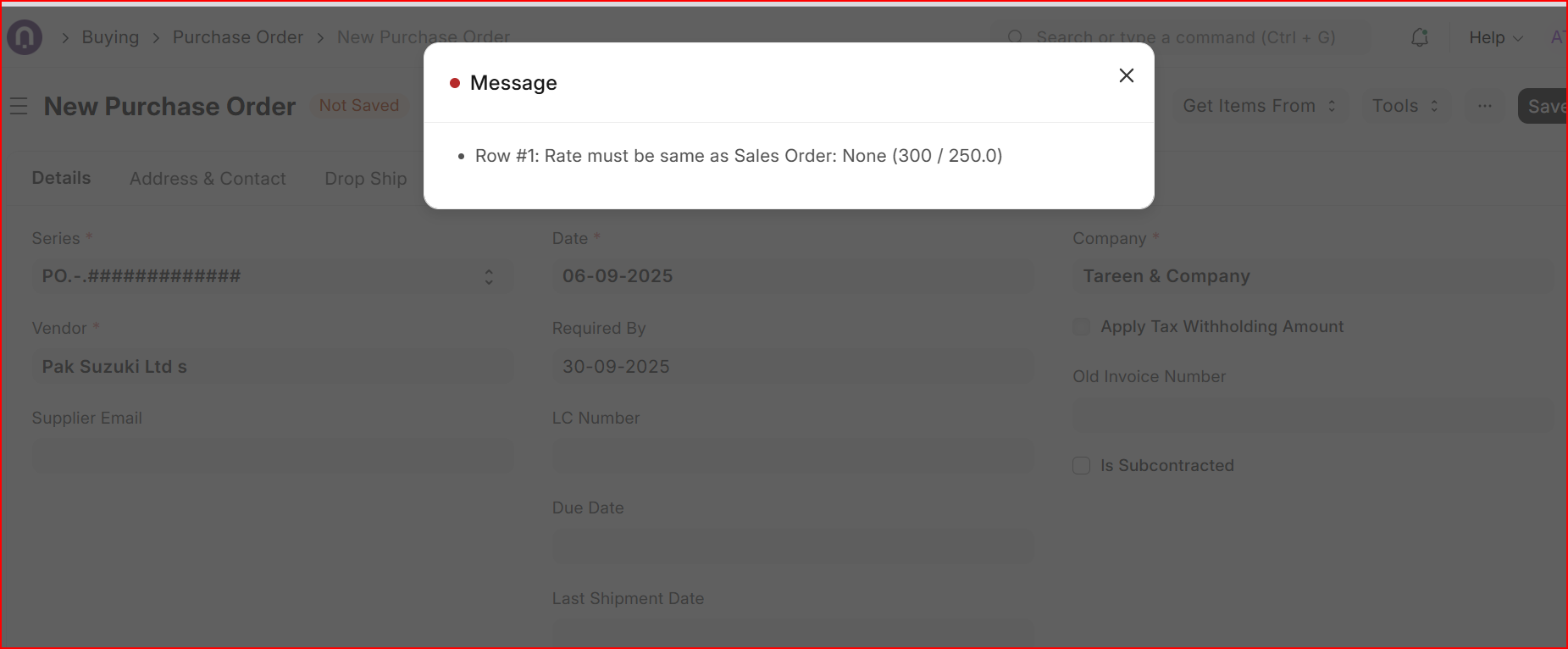
How to use price list rate and skip item valuation rate for intercompany transactions
like “Purchase Receipt”, “Purchase Invoice”, “Purchase Order”
“Sales Order”, “Delivery Note”, “Sales Invoice”
Its resolved after modifation on transaction.js file and erpnext.bundle.xxxxxxxx.js and erpnext.bundle.xxxxxxxx.js.map files
() => {
    // For internal customers or suppliers, apply valuation rate directly to the item
    if (me.frm.doc.is_internal_customer || me.frm.doc.is_internal_supplier) {
        me.get_incoming_rate(item, me.frm.posting_date, me.frm.posting_time, me.frm.doc.doctype, me.frm.doc.company);
    } else {
        me.frm.script_manager.trigger("price_list_rate", cdt, cdn);
    }
},
with
() => me.frm.script_manager.trigger("price_list_rate", cdt, cdn),
Turn off “Fetch Valuation Rate for Internal Transaction” in accounts settings
there are no any field like “Fetch Valuation Rate for Internal Transaction” in Accounts Settings on V14 and also on V15
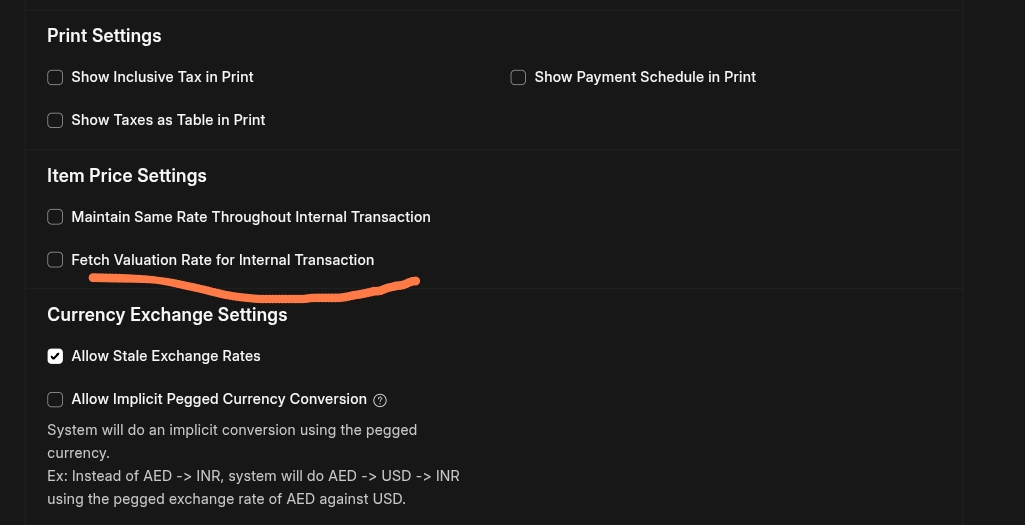
Hi @GGR
For all outgoing qty within a company will be multiplied with Valuation Rate under the umbrella of valuation mechanism pre set in stock setting globally. Outgoing doctype like delivery note, sales invoice and stock entries do not offer price list rate to be multiplied with qty to make up a value. On the other hand, Allow Zero Valuation Rate is the other option. we are here talking about costing rates = valuation rate particularly.
@Prana the settings you are referring (( ERPNext: v15.75.1 (version-15)) does not cover item prices for inter Company settings. it is meant to work valuation rate for company A to company B within same company group. Please keep in mind ERPNext maintains valuation rate for a stock item under a warehouse company wise.
Hey @ahsantareen. Try it out for yourself. It works in my case and moreover it being related to “Item Price Settings” clearly tells us that its meant for selling/buying transactions. I think you have misunderstood the issue.
There are two check boxes in accounts setting under Item Prices Setting and I am particularly talking about second one as highlighted below;
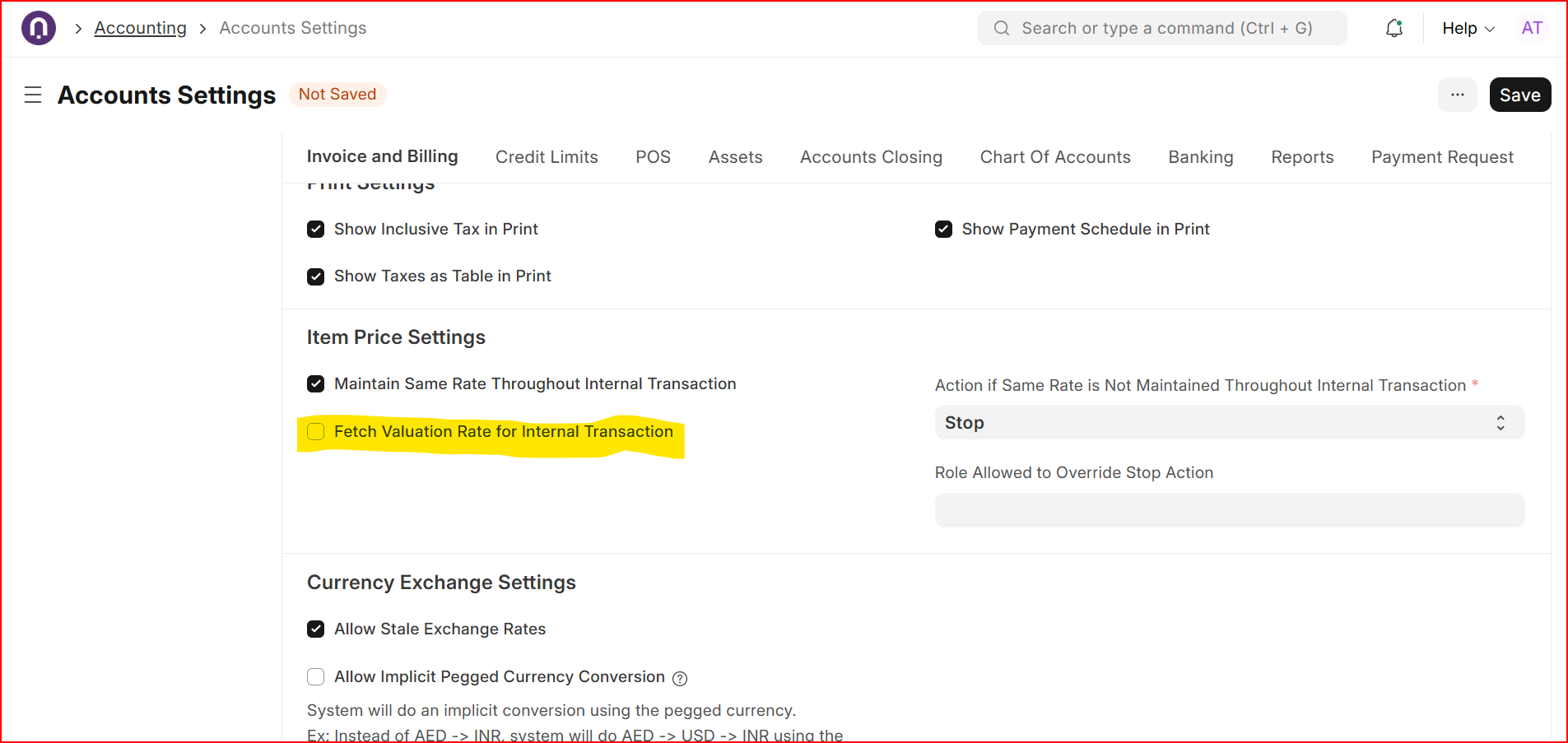
When you sell an item from Company A to Company B (both companies belong to the same parent group), ERPNext will use the original valuation rate (cost) from Company A for the transfer. This ensures that Company B does not revalue the item at a different cost, avoiding double profit recognition or inflated costs. Essentially, it carries forward the exact valuation rate instead of calculating a new rate based on Company B’s pricing rules or stock valuation method due to the fact that valuation rate is being tabulated for a stock item under a warehouse within same company only.
This Post has a subject and it says Valuation rate for internal Customer and Supplier requires to discuss valuation rate in internal transaction environment.
I was not referring to first check box where it is clear item prices bring controlled in case of purchase order in company A will land sales Order in company B with same item rate only. Any change will throw a message as following;