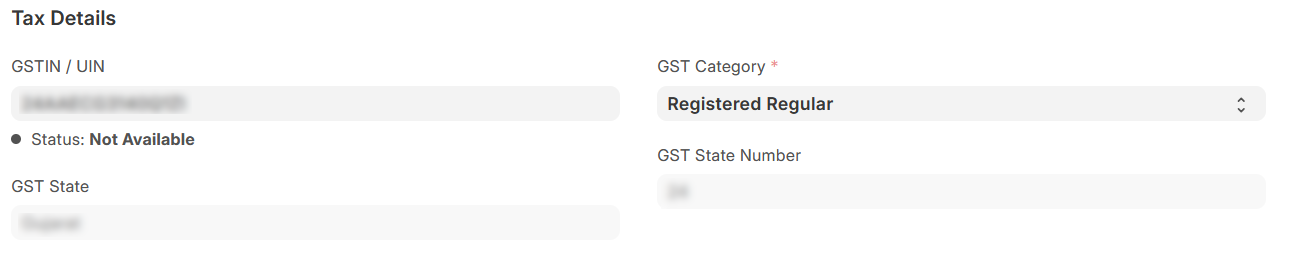
I have setup a company with GTS.
Now when I enter Supplier’s GSTIN it show the messge Status: Not Available.
What does this mean?
I have setup a company with GTS.
Now when I enter Supplier’s GSTIN it show the messge Status: Not Available.
What does this mean?
I am using ERPNext version 15.
I am also facing same issue GSTIN statues not available in ERPNext version 15. unable to create sales invoice because of this. when I try to create sales invoice it shows Company GSTIN is a mandatory field for GST Transactions
Status: Not Available” in ERPNext means the supplier’s GSTIN couldn’t be verified with the GST portal. Possible reasons include:
Incorrect GSTIN – Check for typos; it must be a 15-digit code with the correct state code.
Inactive or Canceled GSTIN – The supplier’s registration may no longer be valid.
GST Portal Issues – Temporary downtime or data sync delays with ERPNext.
ERPNext Setup – Ensure GST settings, supplier details, and GST templates are correctly configured.
If the supplier is unregistered, mark them accordingly in ERPNext.