It a user input error not MOP. When counter person is selling they take cash but by mistake they select card or vis-a-vis.
Which customers are they? I think you should consider general use case and then work on it. If you follow a single use case then again community will have to add to it themselves.
What we have done is we have given a custom fields selection in our app so users can select what they want to see in cart area.
ok will try again now.
I love the JS UI, but i hope you know It is too advance for counter people. The transition is fluid and there is alot of waste of space.
And displaying an Item in full view is not practical use case in POS.
Please check some major Vendors POS screen. What your working on is very nice in technical point of view but I feel that its way too advance for retail counter person to handle.
-
Removing 1 item from the cart causes the cart to be stuck, only option after this is to proceed with the checkout,
-
Change amount should also display after printing, as during processing the invoice cashier are busy handling the cash. We have added Change value to be displayed on Print /New Order Lightbox in V11 offline pos.
Here is our app
You can find all these thing which we have already been using in production environment.
This was something we planned for.
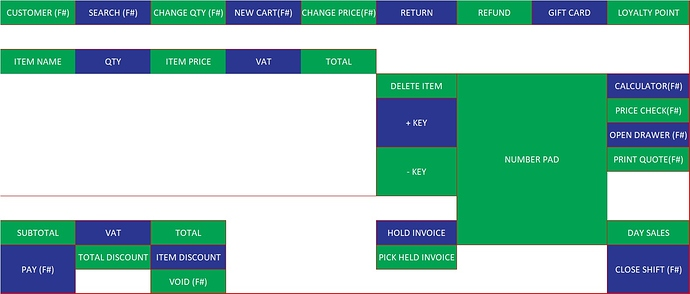
This is something we had worked on.