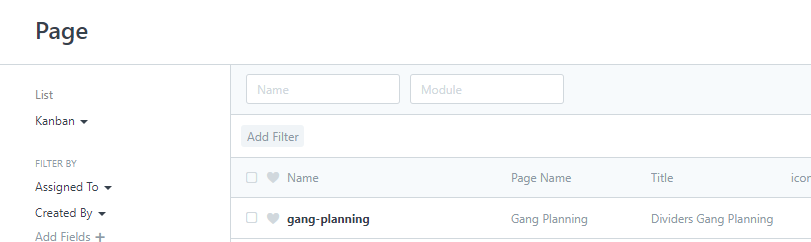
I created a page called “Gang Planning” (using ERPNext v12.18.0):
I am trying to add javascript to the page via hooks.py like so:
hooks.js
page_js = {
"gang-planning" : [
"https://unpkg.com/[email protected] /Sortable.min.js",
"https://unpkg.com/[email protected] /clusterize.min.js",
"https://unpkg.com/[email protected] /dist/frappe-datatable.min.js",
],
}
However, the javascript files do not appear on the page.
I’ve tried a number of things to make them appear, including using the local ERPNext paths (e.g. “/assets/frappe/js/lib/Sortable.min.js”).
This looks right to me. Is there something else I should be doing?
rahy
May 12, 2021, 9:15am
2
I also found that the js script for webform is not consistent. Some are working in the webform_js and some are not.
Try to put the script in Custom Script and see if they work.
Some are working in the webform_js and some are not.
Can you see any pattern in what works as opposed to what doesn’t?
I’ve read a number of posts about loading javascript, but I’d like to figure out page_js right now, which is what this post is about. I have another post about including javascript on the page itself here: Including ERPNext's Internal Datatable, On A Page
Hi
Did you find any solutions to make page_js works?
No I have not, although you can see a workaround in my post here .
I manage to attach the js file in the page
custom_app_folder/custom_app/public/js/custom.js
In the
page_js = {
I have only test on development, but its working
That’s almost identical to what I did, as you can see from the original post. The only difference is that in my post I used an array, since I needed more than one file. Does page_js not work in v12?
Tested on frappe: 16.4.1 and now it works
You can override some core page doing this.
# hooks.py
# include js in page
page_js = {"backups" : "public/js/patching.backups.js"}
// /public/js/patching.backups.js
const original_on_page_load = frappe.pages["backups"].on_page_load;

frappe.pages["backups"].on_page_load = function (wrapper) {
    original_on_page_load.call(this, wrapper);

    var page = wrapper.page;

    page.remove_inner_button(__("Download Files Backup"));

    page.add_inner_button(__("My custom button"), function () {
        frappe.msgprint("This is my custom button action!");
    });
};
Before
After